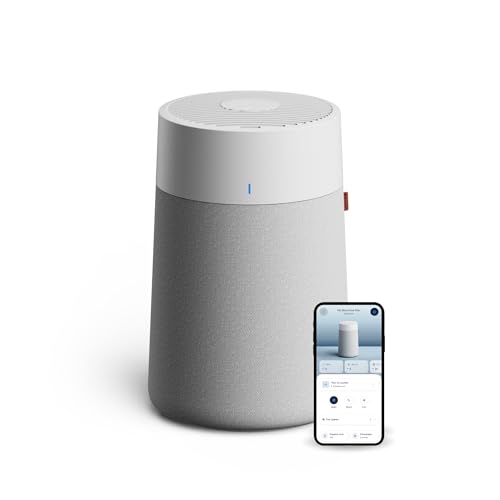

The BLUEAIR Blue Pure 511i Max Smart Air Purifier stands out as our top recommendation for anyone who needs clean air right at their desk. It operates at an ultra-quiet 19 dB noise level while trapping fine dust, pollen, and pet dander before they settle on your workspace.
For shoppers seeking reliable filtration at a lower price point, the BLUEAIR Air Purifier for Home HEPA Air Purifiers delivers exceptional Energy Star efficiency in an ultra-compact body. You can also review our guide on Best Desktop Monitors for Comfort, Value and Clarity to complete your workstation upgrade.


Best Air Purifiers for Desk: Quiet Desktop Cleaners Buying Guide
Selecting a dedicated desk purifier requires balancing filtration performance against acoustic comfort. In this guide, we break down the critical specifications you should examine when comparing models in October 2026.
Acoustic Output and Whisper-Quiet Operation
A desk air purifier sits just inches away from your ears, microphone, and computer setup. If the unit generates a harsh motor whine or loud airflow hiss, it quickly becomes distracting during phone calls and deep work sessions.
Look for cleaners that operate below 25 dB on their lowest settings. Units running at 19 dB to 24 dB blend seamlessly into background noise without disturbing video meetings or concentration.
Desk Footprint and Air Intake Design
Desk real estate is precious, especially if you manage multiple screens or studio accessories. Explore our Desktop & External Monitors section for layout ideas that keep your work surface tidy and functional.
A 360-degree cylindrical air intake allows the cleaner to pull dirty air from all directions without requiring excessive clearance. Cylindrical purifiers fit neatly into corners or alongside monitor risers without blocking airflow.
Dual Filtration and Particle Capture Efficiency
Effective desk cleaners capture microscopic irritants before they reach your breathing zone. Premium units use HEPASilent dual filtration technology, which combines electrostatic charging with mechanical filtration to capture 99.97 percent of particles down to 0.1 microns.
This dual approach captures fine dust, mold spores, pet dander, and wildfire smoke while allowing higher airflow through less dense filter media. The result is better airflow with significantly reduced fan strain.
Smart Monitoring and Auto Adjustment
Smart sensors continuously monitor ambient particulate levels and adjust the fan speed automatically. When you pair an intelligent air cleaner with Best Quality Computer Monitors: Buy With Confidence, your entire workspace stays clean and comfortable throughout long shifts.
App-connected units allow you to check indoor air quality status, set operating schedules, and receive timely filter replacement alerts directly from your phone. These automated features remove guesswork from maintaining clean desk air.
Energy Efficiency and Maintenance Costs
Desktop air purifiers run for hours every workday, making energy efficiency an important buying factor. Look for Energy Star certified models that draw less power than a standard LED desk lamp during routine operation.
Check filter replacement schedules and washable pre-filter options before purchasing. Washable fabric pre-filters capture large hair and dust bundles, extending the life of the primary filter cartridge.
How We Evaluated
We evaluated the 5 featured cleaners by analyzing verified manufacturer technical specifications, acoustic decibel ratings, and clean air delivery metrics. We focused on compact physical dimensions, energy consumption ratings, and filtration stages suited for close-range workspace environments.
Our evaluation weighed the trade-offs between physical footprint, noise generation on low settings, smart connectivity features, and ongoing filter replacement requirements to ensure objective guidance.
Common Mistakes to Avoid
The most frequent mistake is pushing a cylindrical purifier directly against a wall, which blocks half of its 360-degree intake. Always maintain at least a few inches of clearance around the base for unrestricted air circulation.
Another common error is choosing an oversized floor purifier for a compact desk. Floor units take up excessive room and create noticeable drafts that can blow dry air into your eyes during long working sessions.
Finally, avoid ignoring the washable pre-filter sleeve. Neglecting to vacuum or wash the fabric cover forces the internal filter to clog prematurely, reducing overall airflow and increasing fan noise.
Buying Checklist
- Confirm the low-speed noise rating is under 25 dB for quiet work calls.
- Verify the base diameter fits your desk surface or adjacent side shelf.
- Check that the purifier uses HEPASilent or true HEPA grade filtration down to 0.1 microns.
- Ensure the unit includes a washable fabric pre-filter to trap pet hair and large dust.
- Confirm Energy Star certification to keep daily electricity consumption minimal.
- Check for app connectivity and built-in air quality sensors if you want automated speed adjustments.
- Review filter replacement availability and genuine cartridge costs before buying.
Final Thoughts
Adding an air purifier to your workstation is one of the easiest ways to reduce airborne dust and allergens in your immediate breathing zone. For most desks, the BLUEAIR Blue Pure 511i Max Smart Air Purifier is the best overall choice thanks to its 19 dB sound profile, compact body, and smart air quality tracking.
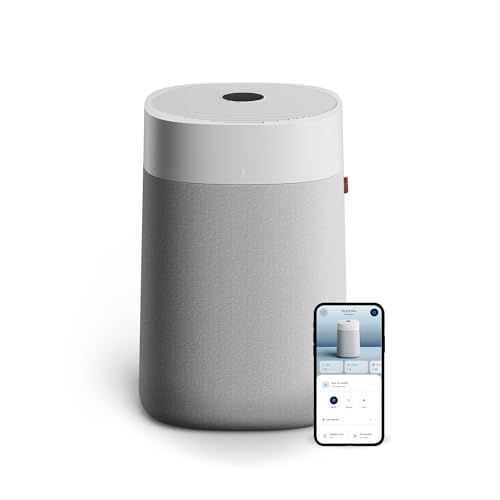
If you prefer a simpler mechanical option without wireless features, the BLUEAIR Air Purifier for Home HEPA Air Purifiers delivers top-tier filtration at great value. For larger executive desks or spacious private offices, consider the BLUEAIR Blue Pure 311i Max Smart Air Purifier for its higher airflow volume.
Pairing clean air with an ergonomic monitor setup creates an optimal working space. Read our How To guides and our rundown on Best Looking Computer Monitors for Comfort and Value to refine your workstation.
Frequently Asked Questions
What are the key benefits of Best Air Purifiers for Desk: Quiet Desktop Cleaners in 2026?
These compact cleaners create a clean microclimate directly around your seating area by filtering dust, smoke, and pollen before they circulate into your breathing zone. They operate quietly so you can work without distracting background noise.
How quiet should a desktop air purifier run during office calls?
A desktop air cleaner should ideally run below 25 dB on low settings. At 19 dB to 24 dB, the airflow is virtually silent and will not be picked up by sensitive desk microphones.
Where is the ideal location to place an air purifier on a desk?
Place the purifier a few feet away from your keyboard, ideally on a back corner or adjacent side table. Ensure the 360-degree intake vents have several inches of clear space away from walls or monitor stands.
Does a desk air purifier help protect computer equipment?
Yes, running an air cleaner near your setup captures airborne dust before it settles on your keyboard, internal PC fans, or Best HD Computer Monitors: Compare Comfort and Value. This reduces how often you need to wipe down your screens.
How often should desktop air purifier filters be replaced?
Most compact filters last between six and nine months under daily use. Regularly washing the outer fabric pre-filter helps extend the main filter lifespan and maintains optimal airflow.
Do smart air purifiers use excessive electricity on a desk?
Energy Star certified desk purifiers use very little electricity, often drawing less power than an ordinary light bulb. Running them continuously costs only a few dollars per year.
How does HEPASilent filtration differ from traditional HEPA filters?
HEPASilent technology combines electrostatic particle charging with mechanical filter layers. This allows the purifier to capture 99.97 percent of particles down to 0.1 microns while using less dense filter material for quieter, faster airflow.