

Finding the ideal display requires balancing smooth motion, color accuracy, and screen responsiveness. The top pick for most gamers is the ASUS ROG XG27ACS 27 Inch 1440p 180Hz USB-C G-SYNC, which delivers exceptional Fast IPS motion clarity and versatile connectivity. We evaluated 5 leading options across ASUS, KTC, Samsung for November 2026 to highlight displays that elevate your desktop experience.
For budget-conscious players, the Samsung 27″ Odyssey G5 (G51F) Series QHD (1440P) offers impressive 180Hz performance and ergonomic height adjustments. Browse our dedicated gaming monitors guide for additional setup inspiration before deciding.
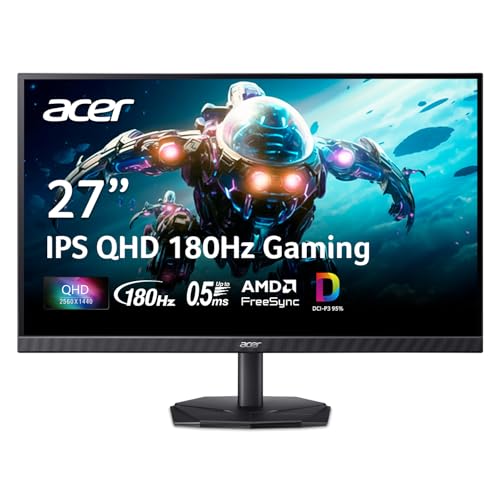

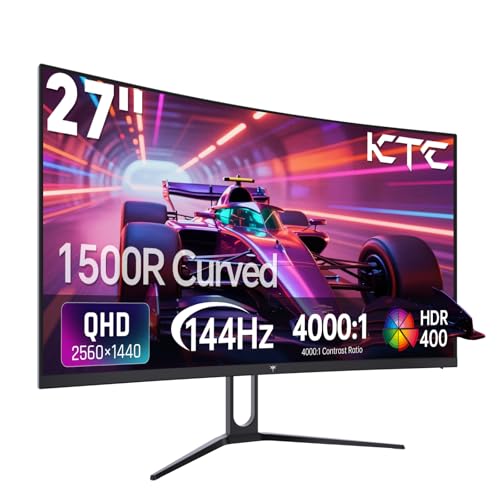
Best 1440 PC Gaming Monitors Buying Guide
Upgrading your display resolution to 2560 x 1440 delivers a noticeable step up in image detail without overloading your graphics card. Selecting the Best 1440 PC Gaming Monitors involves matching panel technology and refresh rates to your favorite game genres.
Refresh Rate and Motion Response
Refresh rate determines how many images your screen displays per second, directly affecting motion smoothness. Standard fast displays offer 144Hz to 180Hz, while competitive options reach up to 220Hz. Higher refresh rates shorten frame render delays and keep fast motion clear.
Response time measures how quickly individual pixels change colors. Lower response times prevent smearing and ghosting behind fast-moving objects. Adaptive sync technologies like AMD FreeSync and G-SYNC prevent screen tearing by matching display rates with your graphics card.
Panel Technology: IPS vs VA
In-Plane Switching (IPS) panels deliver wide viewing angles and consistent color representation. They excel in fast-paced games where rapid screen updates and wide color gamuts matter. Fast IPS technology ensures grey-to-grey transition times remain under two milliseconds.
Vertical Alignment (VA) panels produce deep blacks and high static contrast ratios, often exceeding 3000:1. Curved VA designs draw your eye into dark environments for single-player titles. However, VA panels can exhibit minor ghosting in dark background transitions.
Resolution and Pixel Density
A 27-inch panel paired with 1440p resolution provides roughly 109 pixels per inch. This sweet spot yields sharp text and fine graphic details without requiring system scaling. You can discover more high-detail display advice in our guide to best high resolution monitors.
Running games at 1440p requires moderately powerful hardware compared to standard 1080p. The extra rendering workload yields sharper distant targets and richer environmental textures. Modern mid-range GPUs effortlessly drive high frame rates at this resolution.
Connectivity and Desk Setup
Port selection determines maximum refresh rates and peripheral convenience. DisplayPort 1.4 supports high-bandwidth video signals for peak refresh rates and HDR features. Check out our detailed reviews of best HDMI monitors for console and secondary PC setups.
Modern gaming displays frequently incorporate USB Type-C connections. USB-C passes video signals while powering connected laptops or peripheral hubs. VESA mounting compatibility allows flexible placement on single or dual monitor arms.
Ergonomics and Eye Comfort
Extended gaming sessions require an ergonomic stand capable of height, tilt, and pivot adjustments. Elevating the display to eye level reduces neck fatigue and maintains proper posture. Fully adjustable stands allow quick orientation changes for multitasking.
Eye care features protect against strain during late-night gaming sessions. Low blue light modes filter out harsh blue spectrum waves without severely altering color accuracy. Flicker-free backlights prevent subtle dimming pulses that cause headache symptoms over time.
| Feature | IPS Panel | VA Panel |
|---|---|---|
| Contrast Ratio | Standard (1000:1) | High (3000:1+) |
| Viewing Angles | Wide (178°) | Moderate |
| Response Speed | Ultra Fast (0.5ms – 1ms) | Fast (1ms – 4ms) |
| Best Use Case | Competitive / Esports | Immersive / Dark Room |
How We Evaluated
We evaluated each display using verified technical specifications and manufacturer documentation. Key considerations included refresh rates, gray-to-gray response times, dynamic contrast ratios, and color gamut coverage metrics like sRGB and DCI-P3.
We also analyzed build quality, stand flexibility, video port availability, and eye-care features. This data-driven approach ensures balanced recommendations tailored to distinct budget requirements and gaming preferences.
Common Mistakes to Avoid
Overlooking display cable standards is a common error among new display buyers. Using an older HDMI cable can cap your refresh rate far below the panel’s maximum capacity. Always connect high-refresh displays using DisplayPort 1.4 or compatible HDMI 2.0 cables.
Ignoring stand adjustability often leads to uncomfortable viewing angles. Fixed stands force users into rigid seating positions that cause shoulder strain. Choosing a monitor with height and pivot features ensures long-term ergonomic comfort.
Focusing strictly on refresh rate while neglecting panel response times can cause disappointment. A display with high hertz but slow response times exhibits motion blur and dark ghosting. Balance your refresh rate choice with low gray-to-gray response specifications.
Buying Checklist
- Verify your graphics card has DisplayPort 1.4 or HDMI 2.0 outputs.
- Confirm the display native resolution is 2560 x 1440 QHD.
- Check that the panel response time is rated at 1ms GTG or lower.
- Ensure the stand offers height and tilt adjustment for proper posture.
- Select an IPS panel for wide angles or VA for deeper contrast.
- Confirm adaptive sync support for your specific GPU architecture.
- Check VESA pattern compatibility if using a desk arm mount.
Final Thoughts
Selecting from the Best 1440 PC Gaming Monitors transforms your daily gaming experience with crisp image detail and fluid motion. For all-around performance and modern connectivity, the ASUS ROG XG27ACS 27 Inch 1440p 180Hz USB-C G-SYNC stands out as our top recommendation.
If you prioritize high refresh rates for competitive titles, the KTC 27 Inch Gaming Monitor 220Hz delivers exceptional speed. Budget-conscious players will appreciate the balance offered by the Samsung 27″ Odyssey G5 (G51F) Series QHD (1440P).
Those wanting maximum contrast for atmospheric single-player games should consider the curved KTC 27 Inch Curved Gaming Monitor. Explore our best external monitors guide for additional workstation display ideas.
Frequently Asked Questions
Why choose 1440p resolution for PC gaming in 2026?
A 1440p resolution provides 77 percent more pixels than standard 1080p displays. This increase delivers significantly sharper textures and clearer image detail without requiring ultra-expensive top-tier graphics hardware.
Is a 180Hz refresh rate noticeable over 144Hz on Best 1440 PC Gaming Monitors?
While the step from 60Hz to 144Hz is dramatic, moving to 180Hz offers subtler improvements in input feel and frame rendering. Fast-paced action titles benefit from the added responsiveness and diminished motion blur.
What graphics card is needed for 1440p gaming?
Modern mid-range GPUs comfortably power 1440p displays at high frame rates. Cards with at least 8GB to 12GB of VRAM ensure smooth performance across modern titles at high graphics settings.
Are curved displays better for 1440p gaming?
Curved screens match the natural curvature of the human eye to increase immersion. They work exceptionally well on VA panels by reducing color shifts along the outer edges of 27-inch displays.
What is the difference between IPS and VA panels in gaming monitors?
IPS panels offer superior color accuracy and wide viewing angles, making them ideal for competitive games. VA panels excel in static contrast ratio, offering deep blacks suitable for dark-room gaming environments.
Does USB-C support high refresh rate gaming on 1440p displays?
Yes, USB-C ports with DisplayPort Alt Mode carry high-refresh 1440p video signals. They allow laptops to output high frame rates while receiving power over a single cable connection.
What is the top-rated option among Best 1440 PC Gaming Monitors in 2026?
The top-rated model in our analysis is the ASUS ROG XG27ACS 27 Inch 1440p 180Hz USB-C G-SYNC for its Fast IPS panel and versatile hub features. You can compare more options in our guide to best hi res monitors.
How important is FreeSync or G-SYNC compatibility for 1440p gaming?
Adaptive sync matches your monitor’s refresh rate to your GPU output frame rate. This technology eliminates screen tearing and minimizes input lag during frame rate fluctuations.









