

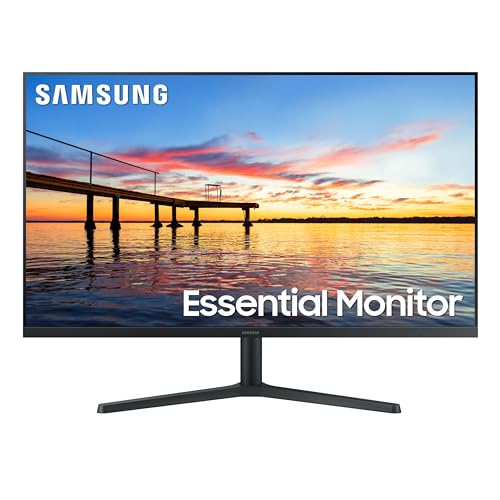
Upgrading to a clean workspace starts with finding the right borderless display to eliminate distracting side edges. For users who manage complex spreadsheets or creative timelines, the SAMSUNG 34″ ViewFinity S50GC Series Ultra-WQHD delivers exceptional ultrawide real estate with sharp visual clarity. We evaluated 10 models across ASUS, Samsung, SANSUI and more to determine the top performers for modern home offices.
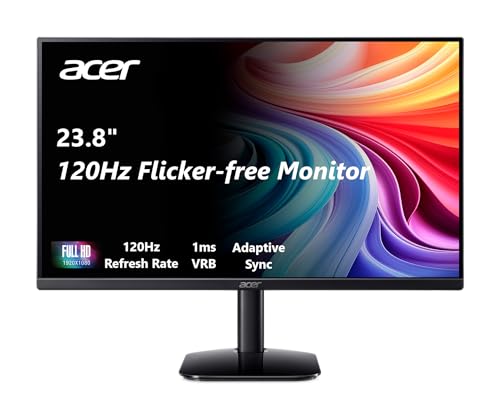
Shoppers looking for a compact, budget-friendly display will appreciate the acer KB242Y – 23.8 Inch IPS Zero-Frame Full HD for its balanced color output and smooth motion. You can also explore our guide to the Best Desktop Monitors for Comfort, Value and Clarity for additional office setups. Both options provide nearly invisible bezels that help dual display configurations line up smoothly.



Best Frameless Monitors: Sleek Desk Upgrades Buying Guide
Bezel Width and Multi-Monitor Alignment
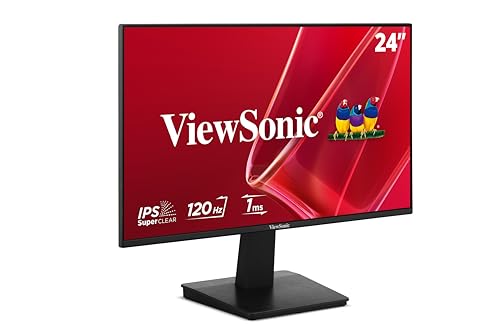
A frameless monitor does not completely eliminate borders, but it hides the outer plastic casing beneath the top glass layer. When you place two matching screens next to each other, this zero-frame design keeps the visual seam between panels minimal. That slim separation prevents cursor jumping and maintains continuous visibility across your extended desktop canvas.
Buyers should note that bottom bezels are usually slightly thicker to house internal controller electronics and physical control buttons. If you plan a side-by-side array, check whether the side and top borders match in depth across all units. Comparing options in our Best Looking Computer Monitors for Comfort and Value breakdown can help you choose matching profiles.
Display Resolution and Pixel Density
Screen size and resolution work together to determine text sharpness and usable interface space. A standard 1080p resolution looks sharp on 24-inch panels, but it can appear pixelated when stretched across a 32-inch screen. Stepping up to 1440p resolution preserves crisp typography and allows you to keep multiple application windows open without crowding.
Ultrawide formats like 34-inch displays offer a 21:9 aspect ratio that replaces the need for dual physical displays entirely. This wider horizontal view enhances productivity for financial analysis, coding workflows, and video timeline editing. You can read more about pixel density considerations in our 4K, 6K & 8K Monitors overview.
Panel Technology and Color Performance
Most modern borderless displays use IPS or VA panel technologies, each offering distinct visual strengths. In-plane switching panels deliver superior color consistency and wide 178-degree viewing angles, which is vital when viewing multiple screens angled toward you. Vertical alignment panels provide higher static contrast ratios, producing deeper blacks during movie playback and dark room work.
Color gamut coverage indicates how accurately a screen reproduces shades across digital photography and graphic design tasks. Displays with 99 percent sRGB coverage or higher ensure that web graphics and digital media appear natural and vibrant. Review our guide on IPS, OLED & LED Panels to understand how different panel structures affect daily viewing comfort.
Refresh Rate and Adaptive Sync
Refresh rate measures how many times per second the display updates its on-screen image. Moving from a standard 60Hz screen to a 100Hz or 120Hz display makes desktop scrolling, window dragging, and video playback feel noticeably smoother. This fluid motion reduces visual fatigue during extended browsing sessions and provides a more responsive workspace.
Adaptive sync technologies like AMD FreeSync dynamically match the monitor refresh rate to your computer graphics output. This synchronization prevents unsightly screen tearing and stuttering during casual gaming or video editing playback. Even for everyday office tasks, variable refresh rates maintain consistent frame pacing for an effortless visual experience.
Connectivity and Cable Management
Modern desk setups benefit greatly from versatile input options that accommodate both newer and legacy computing hardware. Look for monitors offering modern HDMI and DisplayPort inputs to ensure full resolution and refresh rate support. Some office displays also feature DisplayPort output connections, which allow you to daisy-chain a second monitor using a single cable.
A clean aesthetic requires thoughtful port placement that prevents cables from protruding visibly beneath the minimal bottom bezel. Downward-facing ports keep wires neatly routed along your monitor arm or desk grommet channel. You can find more connection advice in our guide covering Best HDMI Monitors for Comfort and Value You Can Trust.
Ergonomic Adjustments and VESA Mounting
Frameless monitors look best when positioned at the correct eye level to prevent neck strain during long working hours. Basic included stands often provide only tilt adjustment, limiting your ability to modify height or swivel angles. Checking for standard 75x75mm or 100x100mm VESA mounting patterns ensures compatibility with aftermarket articulating monitor arms.
Using a dedicated monitor arm clears valuable desk surface and lets you align multiple borderless panels with pinpoint precision. Proper alignment eliminates uneven gaps between screens, creating the seamless panoramic workstation that frameless designs are built to deliver.
How We Evaluated
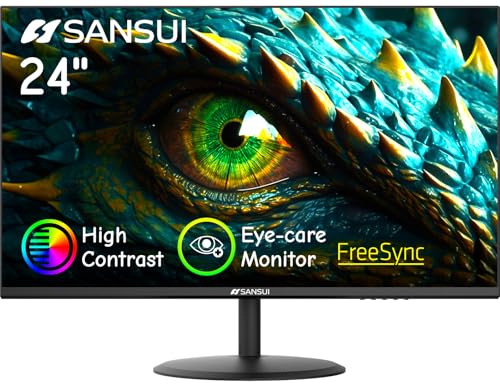
We evaluated these displays by analyzing verified technical specifications, panel specifications, connectivity standards, and ergonomic mounting capabilities. Our assessment compared manufacturer documentation and real-world performance metrics across 10 models from brands including ASUS, Samsung, SANSUI and more. We focused on bezel dimensions, color gamut reproduction, refresh rates, and eye safety certifications.
Our team cross-referenced screen sizes and native resolutions to calculate pixel density and identify ideal viewing distances for each unit. We also prioritized models with flicker-free backlights and blue light reduction features that protect visual comfort during long workdays. This structured evaluation highlights reliable options that balance sleek design with daily utility.
Common Mistakes to Avoid
Many buyers assume that frameless means completely borderless all the way to the outer edge of the display casing. In reality, an active display area has a small internal dead border of a few millimeters beneath the front glass. Expecting zero dead space leads to disappointment when aligning multiple screens side by side.
Another frequent error is pairing a large 32-inch screen with a basic 1080p resolution for close-up desktop reading tasks. The resulting low pixel density makes text appear blurry, causing unnecessary eye strain during detailed spreadsheet or word processing work. Opting for 1440p or 4K on larger screen sizes ensures crisp text and ample workspace.
Buyers also overlook mounting requirements when selecting ultra-thin displays for floating desk configurations. Some budget models omit standard VESA mounting holes entirely, forcing you to rely solely on the factory desk stand. Always verify VESA bracket dimensions before purchasing if you plan to install articulating monitor arms.
Buying Checklist
- Confirm the display includes standard 75x75mm or 100x100mm VESA mounting holes for third-party monitor arm compatibility.
- Match the screen resolution to display size by choosing 1080p for 24-inch screens and 1440p or higher for 27-inch and 32-inch models.
- Verify that your computer graphics output supports the monitor native refresh rate through HDMI or DisplayPort connections.
- Check panel technology to select IPS for color consistency and wide angles or VA for deeper contrast and black levels.
- Inspect the physical port orientation to ensure video and power cables route cleanly without bending against walls.
- Confirm built-in eye care features such as hardware-level flicker-free backlights and low blue light viewing modes.
- Check for picture-by-picture or daisy chaining capabilities if you intend to run multi-device or multi-screen setups.
Final Thoughts
Selecting the right borderless display transforms your daily computing experience by expanding your visual workspace and reducing physical clutter. For power users and multitaskers, the SAMSUNG 34″ ViewFinity S50GC Series Ultra-WQHD stands out as our top overall choice thanks to its expansive 21:9 aspect ratio and picture-by-picture workflow support. You can also explore our roundup of the Best Quality Computer Monitors: Buy With Confidence to compare premium options.
Users seeking high-resolution clarity on a standard widescreen format will find outstanding value in the KTC 32 Inch 2K Monitor 120Hz. Its crisp 1440p IPS panel and smooth 120Hz refresh rate make it equally capable for detailed creative projects and casual gaming. If you need a compact screen for a secondary desk, the acer KB242Y – 23.8 Inch IPS Zero-Frame Full HD delivers essential zero-frame styling at a very accessible entry point.
Take time to assess your desk dimensions, viewing distance, and mounting plans before making your final selection. Choosing a display with proper resolution and ergonomic flexibility ensures a productive and comfortable computing setup for years to come.
Frequently Asked Questions
What makes a monitor frameless?
A frameless monitor features an ultra-thin outer bezel where the front glass panel extends nearly to the edge of the chassis. While a slim inner active border remains visible when powered on, the outer plastic frame is virtually removed. This creates a modern appearance and allows dual monitors to sit side by side with minimal visual interruption.
Are Best Frameless Monitors: Sleek Desk Upgrades good for multi-monitor setups in 2026?
Yes, frameless monitors are the preferred choice for multi-display configurations because their minimal borders create a nearly seamless panoramic view. Placing two zero-frame displays side by side minimizes the gap between screens, making cursor transitions smooth and natural. Check our Desktop & External Monitors section for more advice on configuring multi-screen workstations.
Do frameless monitors have built-in speakers?
Some frameless monitors include integrated speakers, such as the Sceptre 27-inch Prime Gaming Monitor 100Hz 1ms, while others omit them to preserve an ultra-slim profile. Because internal space is restricted in zero-frame designs, built-in speakers generally provide basic audio suitable for video calls. Users who require rich sound quality typically pair their display with dedicated desktop speakers or headphones.
Can you mount a frameless monitor on an arm?
Most frameless monitors support standard VESA mounting patterns, typically measuring 75x75mm or 100x100mm on the rear panel. This allows you to attach the display to aftermarket monitor arms, wall mounts, or multi-display desk stands easily. Always verify the VESA specifications on the product sheet before purchasing an aftermarket mounting bracket.
What is the ideal screen size for a 1080p frameless display?
A 24-inch screen is widely considered the ideal size for 1080p Full HD resolution because it maintains a crisp pixel density of about 92 pixels per inch. Stretching 1080p across larger 27-inch or 32-inch panels can make text appear slightly soft or jagged at normal desk distances. For screens 27 inches and larger, stepping up to 1440p resolution provides noticeably sharper visuals.
Does a higher refresh rate matter for office work?
A higher refresh rate of 100Hz or 120Hz provides noticeably smoother mouse cursor movement and fluid page scrolling during daily office tasks. This enhanced responsiveness reduces visual stuttering and can make long hours of reading documents feel less tiring on the eyes. While not strictly mandatory for text editing, higher refresh rates significantly improve overall desktop fluidity.
How does eye care technology work on modern frameless monitors?
Modern monitors incorporate flicker-free backlights and software or hardware-based blue light filters to protect your vision. Flicker-free technology uses direct current backlighting to eliminate rapid invisible screen pulsing that causes headaches during extended use. Blue light modes shift color temperatures toward warmer tones to reduce eye fatigue during evening work sessions.
What is daisy chaining on frameless monitors?
Daisy chaining is a feature that allows you to connect multiple monitors to your computer using a single video cable from the PC to the first display. The first monitor uses a DisplayPort output port to send the video signal onward to the second screen. This setup reduces cable clutter on your desk and simplifies multi-monitor management for laptop users.




