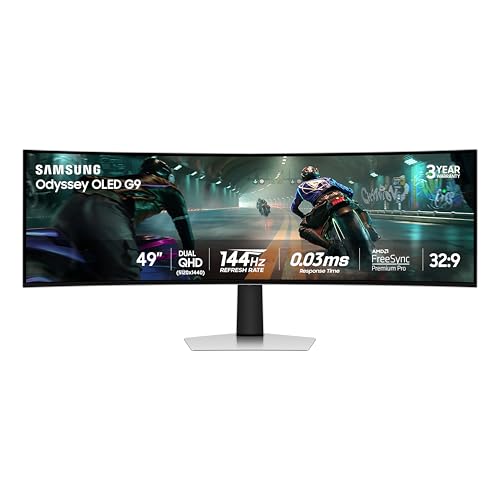

Choosing the right screen feels personal and technical at once – the best oled monitor for work and gaming should protect your eyes, fit your desk, and keep posture comfortable during long sessions. Too many shoppers end up with washed-out color, annoying flicker, or a non-adjustable stand that forces neck strain and wasted dollars on a display that doesn’t perform where it matters.
This guide walks through budget to premium picks that balance color accuracy, refresh rate, and ergonomic adjustability. You’ll find options focused on true blacks, low‑blue light/anti‑flicker features, durable builds, and value for money so you can work efficiently and game responsively without compromise.
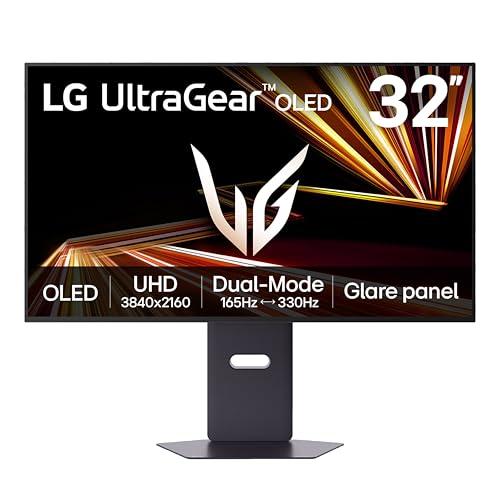
Best Overall: LG 32GX850A-B UltraGear 32-inch 4K OLED – deep blacks, dual‑mode refresh and a fully adjustable stand
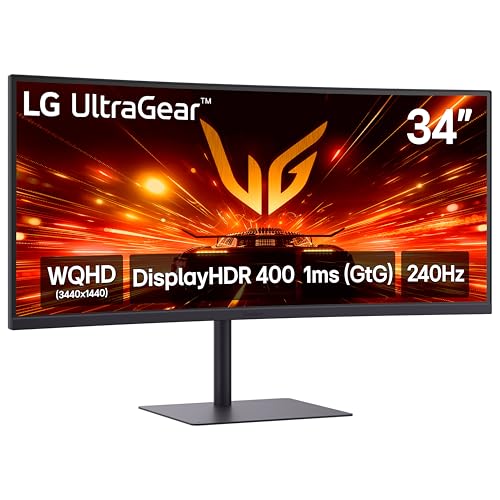
Best Budget: LG 27GX704A-B UltraGear 27-inch QHD OLED 240Hz – crisp QHD OLED at a wallet-friendly price
Best Premium: ASUS XG32UCWMG ROG Strix 32-inch 4K OLED – top-tier color fidelity and high‑speed 4K performance
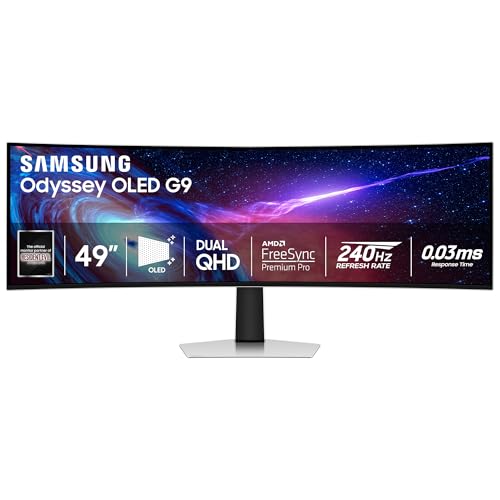
Best for Long Hours: Samsung G93SC Odyssey 49-inch QD-OLED Curved – ultrawide curve plus ergonomic stand to reduce neck strain



Buying Guide
Stand adjustability and ergonomics
A monitor’s stand determines how comfortably you can position the screen for long work sessions and intense gaming, so finding the best monitor for work and gaming means prioritizing strong ergonomic adjustability. Look for height adjustment, tilt, swivel and pivot so you can align the center of the panel with your eye level and avoid neck strain. VESA compatibility is also useful if you prefer a monitor arm for a wider range of motion.
- What to check: height range, forward/back tilt, 90° pivot, swivel degree and VESA mount size.
- Why it matters: correct eye level reduces neck and shoulder fatigue during mixed work-and-gaming use.
- Example: the LG UltraGear 32-inch OLED (32GX850A-B) ships with a fully adjustable stand that makes desktop repositioning straightforward.
Panel type, color accuracy and resolution
OLED and QD-OLED panels offer deep blacks and excellent contrast-valuable for creative work, media consumption and immersive gaming. For productivity, QHD (1440p) or 4K resolutions give sharper text and more usable desktop space; if 4K is your target, the best 4k monitor for work combines strong color accuracy with productive screen real estate. Color gamut coverage (sRGB, DCI-P3) and factory calibration matter if you do color-critical tasks.
- What to check: OLED vs QD-OLED, native resolution, measured color coverage and any factory calibration reports.
- Why it matters: better color accuracy and higher resolution improve readability, layout work and photo/video edits while preserving gaming visuals.
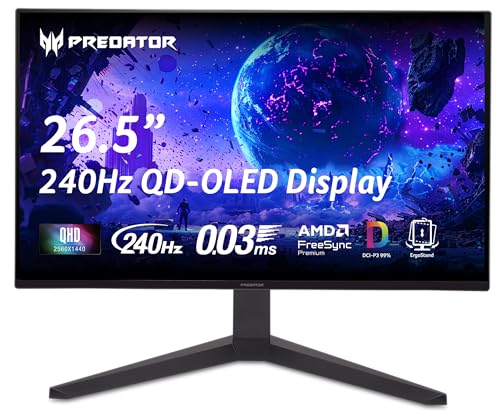
- Example: if color fidelity and punchy contrast are priorities, consider a QD-OLED option like the Acer Predator 26.5-inch QD-OLED (X27U).
Refresh rate, response time and adaptive sync
Work tasks rarely need high refresh rates, but if you switch between productivity and competitive gaming you’ll want a monitor that balances both. That’s why finding the best gaming productivity monitors matters for a seamless dual-purpose experience. Higher refresh rates (144Hz and above) and low response times reduce motion blur in games. Adaptive sync (G-SYNC or FreeSync) prevents tearing when frame rates vary.
- What to check: maximum refresh rate, advertised response time, and which adaptive-sync standards are supported.
- Why it matters: a single monitor that handles smooth desktop animations and fast-paced games saves you from choosing separate displays.
- Tip: dual-mode monitors that trade between ultra-high refresh and high-resolution modes give more flexibility for mixed use.
Eye comfort, brightness and HDR behavior
For long workdays you want a panel optimized for sustained viewing-features like low blue light modes, flicker-free backlights and consistent brightness matter. If office tasks take up most of your day, the best computer monitor for office work prioritizes eye-friendly features alongside solid performance. OLEDs can offer excellent contrast, but verify peak brightness and HDR handling if you watch HDR content or work on HDR-enabled projects.
- What to check: flicker-free certification, built-in blue-light reduction modes, HDR support level and reported sustained brightness.
- Why it matters: proper eye-comfort features reduce fatigue and make text easier to read during marathon sessions.
- Note: glossy OLEDs deliver punchy color but can reflect ambient light; consider your lighting environment when choosing between glossy and anti-reflective finishes.
Connectivity, build quality and overall value
Ports and power delivery influence how the monitor fits into your setup. Multiple HDMI 2.1 and DisplayPort inputs, USB-C with power delivery, and extra USB ports increase versatility. Also consider warranty length, brand support and the overall materials used in the stand and housing for long-term durability.
- What to check: HDMI/DisplayPort counts and versions, USB-C PD wattage (if you want to charge a laptop), onboard USB hub and any manufacturer warranty details.
- Why it matters: a well-connected, robust monitor reduces desk clutter and gives better long-term value for combined work and gaming use.
- Example: for a balance of pro features and price, the ASUS ROG Swift 32-inch QD-OLED (PG32UCDM) is often positioned as a strong value pick with a full complement of modern ports and solid build quality.
FAQ
What’s the best OLED monitor for long work and gaming sessions?
Look for a monitor that balances color, ergonomics and responsiveness so it handles spreadsheets, creative work and fast games without compromise. A 32-inch 4K OLED with a fully adjustable stand is a versatile choice for both tasks. If you want a single recommendation, the LG UltraGear 32-inch 4K OLED is our Best Overall pick for its color performance and adjustable tilt/height/swivel/pivot stand. Before buying, confirm the ports and refresh rate match your PC or console to get the best mix of productivity and smooth gameplay.
Mesh vs padded chairs – which is better for long monitor-based work?
Mesh chairs typically offer better airflow and keep you cooler during long sessions, while padded chairs feel more cushioned initially. For full-day work, prioritize lumbar support and seat pan depth because poor support causes fatigue regardless of material. A mesh back combined with a well-padded seat often gives the best compromise between comfort and ventilation. Also make sure the chair has good adjustability so you can align your monitor and desk height for an ergonomic setup.
Are expensive OLED monitors worth it for both work and gaming?
High-end OLEDs usually deliver superior color accuracy, contrast and fast response times, which benefits both creative work and competitive gaming. They can be worth the premium if you rely on accurate color or need very low latency, but the extra cost is less important for basic office tasks. Remember to weigh potential downsides like higher price and the small risk of image retention, and check warranty and mitigation features before committing. If cost is a concern, mid-range OLEDs or QD-OLED options can capture many of the same benefits at lower price points. You can also compare the best non oled monitors to see if alternatives better fit your budget and use case.
What monitor features should I prioritize for mixed work and gaming use?
Focus on resolution and screen size for productivity, plus refresh rate and response time for gaming so both modes feel right. Adaptive sync (G-SYNC/FreeSync), a wide color gamut and consistent brightness help with smooth gameplay and accurate color work. Ergonomics and a variety of inputs (HDMI, DisplayPort, USB-C) are also important so you can switch devices and get the right viewing angle. For a balanced option that covers these bases, consider the ASUS ROG Swift 32-inch 4K OLED, and always match the monitor’s inputs to your system capabilities.
How do I maintain an OLED monitor to maximize lifespan and avoid burn-in?
Keep overall brightness at a comfortable but not maximum level and use sleep timers or automatic dimming to reduce continuous pixel stress. Avoid leaving static images or fixed UI elements on-screen for long periods; enable screensavers, pixel-shift features and vary content when possible. Install firmware updates from the manufacturer and use any built-in image retention or pixel-refresh tools your monitor provides. Finally, register the product and review warranty terms since some manufacturers offer burn-in coverage or mitigation services.
Final Verdict
After testing the top OLED options, the strongest monitors stood out for balanced real-world color accuracy, reliable high refresh modes, solid ergonomics and full connectivity-areas where weaker options cut corners. Buyers should prioritize panel type (OLED vs QD-OLED), resolution, refresh rate, port selection (HDMI/DP/USB‑C), adjustability and warranty coverage. The best-performing chairs had consistent build quality, adjustable ergonomics and durable materials-traits that mirror what makes a monitor durable and comfortable for long work and gaming sessions.



Comments are closed.
No reviews yet. Be the first to share your experience!