

Selecting the Best Drawing Tablets for Illustrators in October 2026 requires matching line control with color accuracy. We evaluated 9 options and picked the XPPen 16K Artist 15.6 Pro V2 Drawing Tablet as our top overall choice. Pair your desk with quality monitors for work setups for consistent color output.
For creators who prefer a compact footprint, the HUION Kamvas 13 (Gen 3) Drawing Tablet delivers exceptional value with its dual dial interface and factory color calibration. Both devices eliminate parallax while giving vector and raster artists complete control over subtle line weights.






Best Drawing Tablets for Illustrators Buying Guide
Screen Displays vs. Pen Tablets
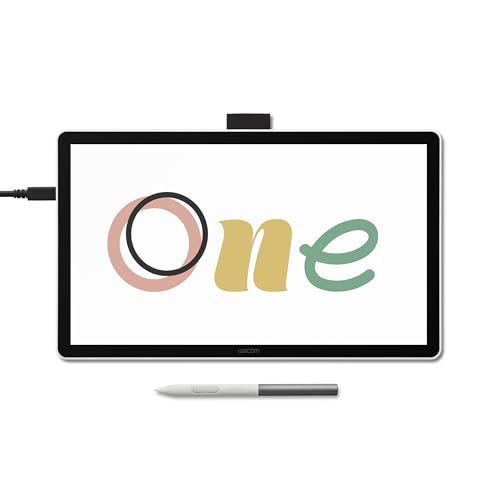
Choosing between a pen display and a traditional graphics tablet shapes your daily creative workflow. Pen displays let you draw directly on an active screen surface, mimicking natural paper interaction. Traditional tablets keep your hand off the canvas, promoting better posture while working on external screens like large screen computer monitors.
Pen displays offer immediate visual feedback that benefits line work and complex masking tasks in raster software. Non-screen options eliminate hand obstruction and generally offer lighter body weight for mobile artists. Consider your desk space and visual preference before committing to either tablet architecture.
Pressure Sensitivity and Initial Activation Force
Modern styluses now offer up to 16384 levels of pressure sensitivity for nuanced line transitions. Higher pressure levels allow subtle variations in brush opacity without manually tweaking software sliders. Initial activation force measures how lightly the nib must touch the surface to register a mark.
A low initial activation force ensures ultra-light feathering without skipped strokes during delicate sketching sessions. Battery-free pens maintain constant weight balance and remove the hassle of charging cables during long projects. Look for styluses that include tilt recognition to replicate traditional charcoal and pencil shading angles.
Color Gamut Coverage and Factory Calibration
Color accuracy is vital for illustrators producing work for print publications or commercial web clients. Tablets with broad color gamut coverage like 99% sRGB or 96% Adobe RGB maintain true hue rendition. Illustrators working across digital media often pair pen displays with OLED monitor options for deep contrast checking.
Factory-calibrated displays ensure that color output matches professional target standards straight out of the box. High contrast ratios and peak brightness prevent washed-out shadows during dark scene rendering. Selecting a panel with low Delta E ratings guarantees faithful color representation across client proofing files.
| Feature | Pen Display | Graphics Pad |
|---|---|---|
| Direct Screen Drawing | Yes | No |
| Portability | Moderate | High |
| Posture Alignment | Requires Stand | Natural Ergonomics |
Screen Lamination and Parallax Reduction
Parallax occurs when a gap exists between the physical stylus nib and the underlying digital cursor. Full lamination fuses the top glass directly with the display layer to eliminate this optical distance. Etched glass or anti-glare film further enhances the paper-like texture under the nib.
Reduced glare prevents eye fatigue during long rendering sessions under bright studio lighting setups. Laminated surfaces also prevent dust accumulation inside the display stack over extended years of daily desktop use. Artists who sketch intricate vector lines benefit immensely from zero-parallax pen tracking.
Physical Dials and Express Key Ergonomics
Hardware express keys and mechanical dials reduce reliance on keyboard shortcuts during creative sessions. Programmable buttons let artists switch tools, undo strokes, or change canvas rotation with a single click. Dual dials offer quick adjustments for brush sizing and canvas zoom operations simultaneously.
Ergonomic key placement prevents unnecessary wrist rotation and keeps your primary hand focused on line work. Left-handed artists should ensure the software driver supports 180-degree screen rotation modes. Customizable shortcut profiles allow seamless transitions between different digital painting applications.
Operating System and Software Compatibility
Compatibility spanning Windows, macOS, ChromeOS, and Linux systems ensures your tablet fits your workstation setup. Modern tablets often connect via a single full-featured USB-C cable for data, video, and power delivery. Android device support allows mobile sketching without hauling a heavy desktop setup into the field.
Driver stability plays a crucial role in preventing stroke lag or sudden pressure loss during active painting. Popular software suites like Photoshop, Clip Studio Paint, and Krita require reliable nib tracking updates. Verifying system requirements before purchase saves time during installation and hardware configuration.
How We Evaluated
We evaluated each drawing tablet by analyzing technical specifications provided by established digital art manufacturers. Our assessment prioritized pen pressure performance, screen lamination quality, color space coverage, and driver stability. We carefully compared connectivity options to ensure smooth integration with modern creative setups.
We also analyzed ergonomic factors such as express key placement, stand adjustment angles, and pen weight balance. By evaluating hardware features against real-world illustration requirements, we compiled objective recommendations for every budget tier.
Common Mistakes to Avoid
Overlooking screen lamination leads to annoying parallax gaps between your pen tip and digital lines. Non-laminated displays create a visual disconnect that hinders precise inking on detailed vector art. Ensure your chosen display specifies full lamination for natural cursor alignment.
Ignoring color gamut coverage can cause drastic color shifts between your tablet screen and final prints. Displays lacking wide sRGB or Adobe RGB coverage render dull hues that surprise clients upon export. Always check factory color calibration specs before making a purchasing decision.
Assuming all USB-C ports support video output is another frequent trap for digital illustrators. Connecting a pen display requires a USB-C port that supports DisplayPort Alt Mode or an HDMI adapter. Check your laptop port specifications to avoid buying extra converters after delivery.
Buying Checklist
- Confirm your computer has a full-featured USB-C port or available HDMI and USB-A slots.
- Verify that the stylus provides at least 8192 levels of pressure sensitivity with tilt support.
- Check whether the screen is fully laminated to prevent cursor gap parallax errors.
- Ensure color gamut coverage reaches at least 99% sRGB for accurate client proofing.
- Look for battery-free pen technology to eliminate charging interruptions during sketching.
- Confirm left-handed driver orientation support if you require ambidextrous tablet rotation.
- Review bundled accessories like adjustable stands, nib replacements, and drawing gloves.
Final Thoughts
Investing in the right illustration tool depends on your workspace, portability requirements, and target output quality. For overall performance, the XPPen 16K Artist 15.6 Pro V2 Drawing Tablet delivers an ideal balance of screen size, 16K pen accuracy, and rich color representation. Complement your digital desktop with best quality computer monitors for a dual-screen studio setup.
If compact portability and quick shortcut access take priority, the HUION Kamvas 13 (Gen 3) Drawing Tablet offers impressive value with dual dials and factory color reporting. Budget-conscious beginners will find the non-screen XPPen Deco 01 V3 10×6 Drawing Tablet an excellent entry point into digital line work.
Selecting any of these recommended devices ensures reliable stroke tracking and comfortable drawing sessions. Evaluate your daily application needs and desk footprint to choose the display that elevates your creative output.
Frequently Asked Questions
What should I look for in the Best Drawing Tablets for Illustrators in 2026?
Look for high pressure sensitivity, low initial activation force, wide color gamut coverage, and full screen lamination. Battery-free pens and ergonomic express keys also streamline daily illustration workflows significantly.
Do drawing tablets with screens require a computer connection?
Most graphics pen displays act as dedicated monitors and require a host computer or laptop to function. They process drawing data through software applications running on your main desktop or portable computer.
Is 16K pressure sensitivity necessary for professional illustration?
While 8192 pressure levels remain standard, 16K sensitivity provides smoother line transitions and finer opacity control. It allows subtle sketching control that feels closer to traditional pencil work on paper.
What is screen parallax and why does it matter?
Parallax is the visual distance between your stylus nib and the digital cursor beneath the glass. Fully laminated screens eliminate this gap, allowing your pen tip to align perfectly with every digital stroke.
Can I use a non-screen tablet for detailed digital art?
Yes, traditional non-screen tablets offer excellent ergonomics and line precision once you master hand-eye coordination. Many professional illustrators prefer non-screen tablets when paired with a small monitor for PC or dedicated workstation display.
How long do stylus nibs last during daily drawing?
Stylus nib longevity depends on your drawing pressure and screen surface texture. Etched glass and textured films increase friction, typically requiring nib replacement every few months under heavy daily use.
Are express keys better than using standard keyboard shortcuts?
Express keys and physical dial wheels place essential commands right at your non-drawing hand. They reduce arm reach and keep your creative focus directly on the active canvas during long painting sessions.



