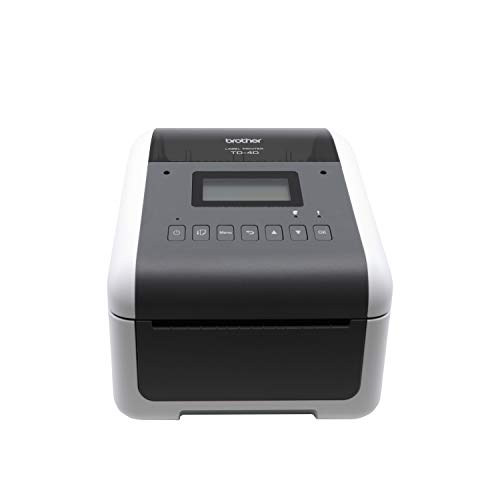
Selecting reliable equipment for product tagging and asset management keeps operational workflows running smoothly. For heavy workload demands, we recommend the Brother TD-4550DNWB Thermal Desktop Label Printer because it delivers crisp 300 DPI resolution alongside versatile network connectivity. You can explore additional workspace setups in our desktop display guide to build an efficient administrative station.
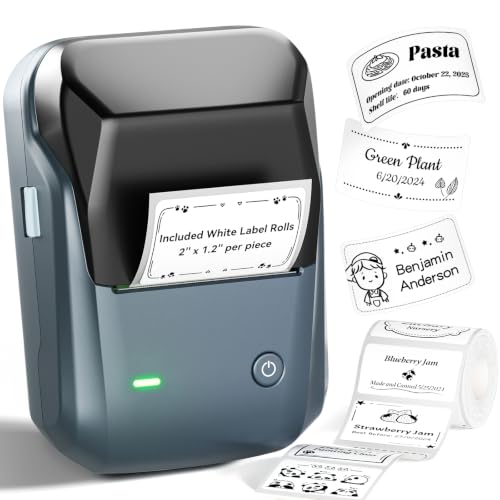
If you need an affordable desktop option without roll restrictions, the CLABEL 221D 2″ Bluetooth Barcode Label Printer offers impressive performance for small business inventory. We analyzed 7 models for September 2026 to highlight the Best Label Printers for Barcode Labels for every workflow budget.



Best Label Printers for Barcode Labels Buying Guide
Print Resolution and Barcode Clarity
Barcode scanners rely on clean contrast and sharp line definitions to read data instantly. Standard thermal printing at 203 DPI works well for large shipping labels, but smaller product tags require 300 DPI resolution. High density barcodes printed at lower resolutions often suffer from bleeding lines that cause scanning errors.
Choosing higher resolution hardware protects your business against costly order delays and package rejections. When selecting equipment for detailed asset tracking, prioritizing fine detail capabilities prevents inventory tracking bottlenecks. You can read our advice on high resolution display setups to pair your printing station with ideal monitor layouts.
Media Compatibility and Operating Costs
Printer manufacturers handle label roll compatibility using locked proprietary systems or open media frameworks. Proprietary systems restrict you to branded rolls containing embedded memory chips, which elevates recurring overhead expenses over time. Open frameworks allow your business to source universal thermal paper from any supplier at lower bulk prices.
Evaluating media flexibility before buying keeps long-term operating expenses predictable for high volume cataloging operations. Choosing unlocked devices gives your team complete freedom over roll sizing, adhesive types, and material finishes. That operational independence prevents supply chain disruptions when specific label sizes run out of stock.
Connectivity and Workspace Integration
Modern labeling equipment connects to your infrastructure using Bluetooth, Wi-Fi, Ethernet, or direct USB cabling. Mobile setups rely heavily on Bluetooth connections to generate stickers directly from smartphones or tablets on the retail floor. Desktop operations benefit from wired Ethernet interface options that maintain stable connections across shared company networks.
Understanding how software interfaces with your host system ensures fast deployment across desktop stations. For workstations running dual monitors, check our insights on external computer monitors to streamline multi-window asset management. Selecting flexible multi-interface connectivity prevents workflow bottlenecks during peak fulfillment hours.
Print Speed and Batch Volume Capacity
Print engine speed determines how quickly your team processes daily order runs and inventory intake procedures. Speed rating ranges from slow handheld speeds up to rapid output speeds exceeding ninety labels per minute. Low capacity printers struggle under continuous batch printing, leading to thermal head overheating and temporary shutdown cycles.
Matching equipment duty cycles to your actual daily label volume keeps warehouse staff operating efficiently. Heavy duty models incorporate internal cooling mechanisms and sturdy gear assemblies built for all-day continuous operation. Investing in industrial capacity rating ensures reliable performance during seasonal shipping rushes.
Comparison of Key Specifications
Comparing essential technical specifications helps narrow down the right thermal model for your daily operational demands.
| Feature Category | Entry-Level Mobile | Professional Desktop | Industrial Network |
|---|---|---|---|
| Print Resolution | 203 DPI | 300 DPI | 300 DPI |
| Primary Sizing | Up to 2 Inches | Up to 2.4 Inches | Up to 4 Inches |
| Connection Types | Bluetooth / USB | USB / Bluetooth | Ethernet / Wi-Fi / Bluetooth |
| Media Lock | Open Roll | Proprietary DK | Open / Heavy Duty Spindle |
How We Evaluated
Our evaluation framework focuses on objective specification analysis, connection stability, media versatility, and daily print speeds. We analyzed manufacturer technical sheets, hardware print densities, and app compatibility features across common operating systems. This data-driven comparison eliminates marketing noise so you can choose reliable hardware for real business environments.
We paid special attention to total cost of ownership by looking closely at paper roll restrictions and software costs. Evaluating user experiences across retail and warehouse scenarios helped us verify long-term performance trends. Our guidance ensures your selection supports accurate scanning and smooth daily inventory tracking.
Common Mistakes to Avoid
Purchasing a printer with proprietary chip locks is a frequent mistake that inflates ongoing media costs unexpectedly. Buyers often focus on low initial hardware pricing without calculating the high price of proprietary replacement paper rolls. Selecting open thermal paper systems keeps operational maintenance manageable over years of daily usage.
Another common oversight involves choosing low resolution 203 DPI output for tiny high density matrix barcodes. Small barcodes printed at lower resolution frequently blur together, causing handheld scanner rejections at checkout counters. Investing in 300 DPI resolution hardware prevents re-printing hassle and speeds up inventory auditing.
Finally, many buyers purchase mobile-only printers for high volume shipping lines that require continuous desktop batch runs. Compact mobile units overheat quickly when subjected to hundreds of label prints without cooling breaks. Check your daily volume demands before selecting portable hardware over dedicated desktop models.
Buying Checklist
- Verify print resolution meets your minimum scanning density needs (300 DPI for micro tags).
- Confirm media width capacity supports your required label dimensions and shipping formats.
- Check whether the printer uses open universal thermal rolls or locked proprietary cassettes.
- Ensure software application supports vector image processing, custom fonts, and quick QR codes.
- Verify wireless compatibility with your existing operating system (iOS, Android, Windows, macOS).
- Confirm physical connection options like USB Host or Ethernet for desktop network sharing.
- Check print engine speed ratings to guarantee efficient processing during batch workflows.
- Inspect built-in cutter hardware (auto-cutter vs manual tear bar) based on application needs.
Final Thoughts
Investing in dependable labeling equipment eliminates workflow delays and improves inventory organization across your business. For demanding commercial applications, the Brother TD-4550DNWB Thermal Desktop Label Printer stands out as our top pick due to crisp 300 DPI output and seamless network integration. You can pair it with high productivity screens detailed in our productivity monitor recommendations to optimize your office setup.
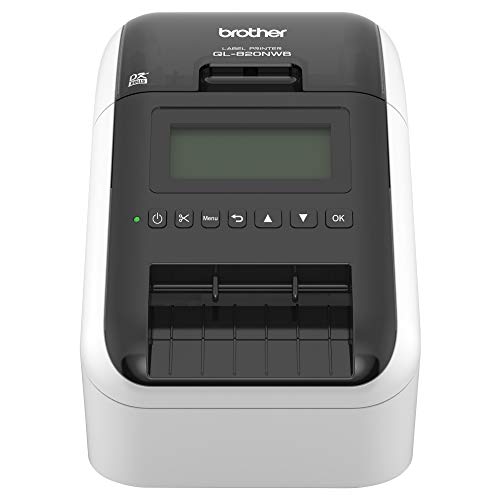
If your operations require rapid desktop printing with specialized color highlights, the Brother QL-800 High-Speed Professional Printer provides excellent value and instant software connectivity. For budget conscious store owners needing wire-free mobile tagging, the unlocked CLABEL 221D 2″ Bluetooth Barcode Label Printer keeps paper overhead low. Matching your specific volume needs to the right hardware design ensures fast, scan-ready labels every single day.
FAQs
What resolution is recommended for the Best Label Printers for Barcode Labels in 2026?
A print resolution of 300 DPI is strongly recommended for crisp barcode rendering on small labels. While 203 DPI works adequately for standard shipping labels, fine details on product stickers require higher density to prevent scanner errors.
Do thermal label printers require expensive replacement ink cartridges?
Direct thermal label printers use heat-sensitive paper and do not require any ink or toner cartridges. Heat from the print head creates clear black markings on special paper rolls, keeping ongoing operating costs low.
Can I use wireless mobile printers for high volume shipping tasks in 2026?
Mobile printers excel at small batch tags and mobile retail marking, but continuous shipping volume requires desktop units. Desktop thermal models feature stronger motors and better cooling structures designed for non-stop daily batch printing.
What is the difference between open and proprietary label systems?
Proprietary systems require brand-specific rolls fitted with chip sensors, which restricts your media choices and increases costs. Open systems allow you to buy universal thermal rolls from any supplier, lowering long-term overhead.
Are thermal barcode labels waterproof and smudge resistant?
Standard direct thermal labels resist mild moisture, but prolonged exposure to heat or bright sunlight can darken the paper. Using high grade synthetic thermal labels provides excellent protection against moisture, friction, and environmental fading.
How do I connect my thermal printer to a desktop computer?
Most desktop label printers connect directly through standard USB cables or local network Ethernet ports. For dual display management advice, check our guide on computer displays and workstation setups to organize your shipping station efficiently.
Can thermal printers output red and black text on the same label?
Certain specialized thermal models can print two-color black and red output when paired with dedicated dual-color paper rolls. This feature allows you to highlight critical safety warnings, expiration dates, or special pricing emphasis clearly.