

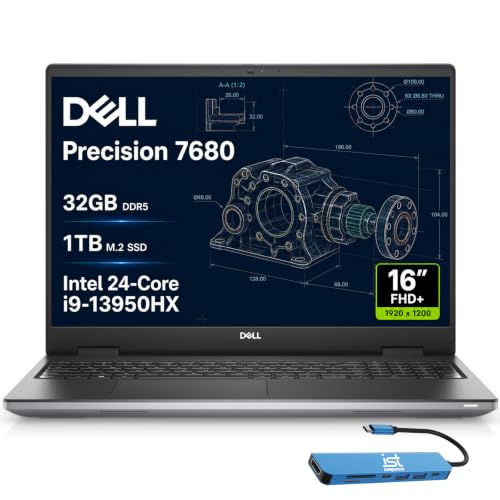
Selecting the right mobile workstation for intense graphic workloads requires balancing multi-core processing power with robust graphics support. When searching for the Best Laptops to Run Adobe Creative Suite in October 2026, the Dell Precision 7680 Laptop stands out as our top recommendation for serious video editors and 3D animators.
Creators who want solid everyday performance on a budget can look to the NIMO 15.6 AI Creator Laptop for dependable design tasks. After evaluating 5 mobile workstations, pairing your laptop with high resolution monitors creates an ideal studio environment.


Best Laptops to Run Adobe Creative Suite Buying Guide for 2026
GPU Acceleration and VRAM Capacity
Dedicated graphics processing units accelerate essential functions across Adobe applications like Premiere Pro and After Effects. A powerful GPU speeds up video scrubbing, effect rendering, and export times significantly compared to basic integrated graphics chips.
Video editing software relies heavily on dedicated video RAM to process complex spatial effects and multiple high resolution video tracks simultaneously. Selecting a system with at least eight gigabytes of dedicated VRAM ensures smooth timeline performance without frustrating memory bottlenecks.
Processor Architecture and Core Count
The central processing unit dictates how quickly software opens, filters apply, and background scripts execute during design work. Multi-core processors like the Intel Core i7 or i9 handle parallel tasks efficiently when working across multiple creative programs.
High clock speeds benefit single-threaded tasks such as vector graphics manipulation in Illustrator or raw image adjustments in Lightroom. Balancing high single-core performance with plenty of threads keeps your entire workflow responsive during intensive multitasking sessions.
RAM Volume and Memory Bandwidth
Adobe applications consume significant system memory, especially when running multiple programs simultaneously through dynamic linking. Operating with sixteen gigabytes of RAM serves as a basic baseline, while thirty-two gigabytes provides comfortable headroom for complex projects.
System memory speed and expandability also play a critical role in long term system utility for visual creators. Choosing laptops with dual-channel memory configurations maximizes bandwidth, allowing large data files to move quickly between components.
Display Accuracy and Color Coverage
Visual accuracy is paramount when editing photos, grading video color, or preparing assets for print and digital publishing. A display offering wide color gamut coverage ensures that the colors on your screen match final published outputs precisely.
When working in fixed studio setups, connecting your portable system to dedicated external computer monitors expands your screen real estate. This dual screen approach allows creators to keep timeline panels open while maintaining accurate preview windows.
Thermal Management and Sustained Output
Demanding media workloads generate substantial internal heat during extended rendering sessions and batch export routines. Laptops with robust cooling systems maintain high clock speeds longer without throttling performance under sustained operational stress.
Thinner laptops may suffer thermal limits under heavy loads, forcing the processor to reduce operating speeds to prevent overheating. Checking chassis ventilation and fan profiles helps ensure consistent performance during lengthy project exports.
| Creative Task | Minimum RAM | Recommended GPU | Ideal Storage |
|---|---|---|---|
| Photoshop & Illustrator | 16GB DDR5 | Integrated / Entry Discrete | 512GB PCIe NVMe SSD |
| Premiere Pro 4K Editing | 32GB DDR5 | 8GB VRAM Discrete GPU | 1TB PCIe Gen4 SSD |
| After Effects & 3D Work | 32GB+ DDR5 | Workstation GPU (RTX Ada) | 1TB+ NVMe SSD |
How We Evaluated
Our analysis focused on key technical specifications essential for software stability, project rendering speed, and multitasking responsiveness. We systematically compared processor benchmarks, memory bandwidth, graphics capabilities, and thermal designs across 5 models from top brands including Acer, Dell, NIMO.
We examined real-world hardware compatibility with Creative Cloud requirements, prioritizing systems that deliver reliable long-term performance. Trade-offs between battery endurance, portable weight, display color accuracy, and overall price value were weighed objectively.
Common Mistakes to Avoid
Underestimating memory requirements is one of the most frequent errors buyers make when purchasing creative hardware. Choosing a fixed system with non-upgradeable RAM can prematurely cap performance as project files grow larger over time.
Relying solely on integrated graphics for complex video editing represents another common misstep for media producers. Without dedicated video memory, timeline scrubbing becomes sluggish and export times increase dramatically during project finishing.
Ignoring display panel quality and color reproduction leads to inaccurate color grading results across different viewing devices. Always verify color gamut support or budget for external display connectivity to ensure visual consistency.
Buying Checklist
- Confirm system memory is at least 16GB DDR5, preferably 32GB for video work.
- Verify dedicated GPU includes minimum 8GB VRAM for 4K timeline acceleration.
- Check that the internal SSD utilizes high-speed PCIe NVMe protocol.
- Ensure the display covers a high percentage of sRGB or DCI-P3 color spaces.
- Validate available ports including Thunderbolt 4 or USB-C for fast external drive transfers.
- Review thermal dissipation design and fan configurations for sustained rendering.
- Confirm expansion options for future RAM or secondary SSD storage upgrades.
Final Thoughts
Choosing the ideal hardware setup depends directly on the complexity of your daily media projects. For heavy 4K video editing and 3D modeling, the Dell Precision 7680 Laptop stands out as our top overall choice, delivering workstation graphics and robust thermal stability.
If you prioritize high processor speed and multi-core efficiency, the Dell Precision 7680 Laptop, 16″ FHD provides superior computing headroom for complex multi-app workflows. Meanwhile, budget-conscious users will find excellent value in the NIMO 15.6 AI Creator Laptop for general design assignments.
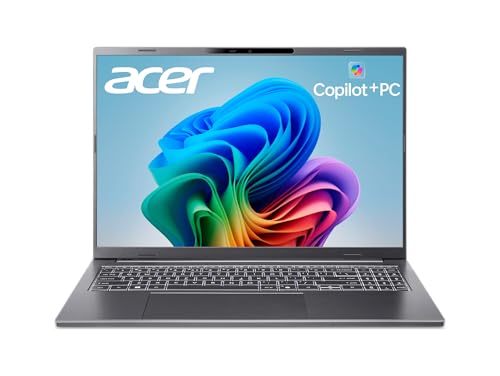
Creators seeking portable versatility can consider the ultra-sleek Microsoft Surface Laptop (2024) or the responsive acer Aspire 16 AI Copilot+ PC. Expanding your studio setup with desktop external monitors further enhances productivity when working from a home workstation.
Frequently Asked Questions
How much RAM is required for Best Laptops to Run Adobe Creative Suite in 2026?
Sixteen gigabytes of RAM is the recommended starting point for basic photo editing and design. However, thirty-two gigabytes is preferred for heavy 4K video editing and After Effects animation.
Do I need a dedicated graphics card for Adobe Photoshop?
While Photoshop can run on integrated graphics, a dedicated GPU accelerates neural filters and canvas panning. Video editing apps like Premiere Pro benefit even more from dedicated video memory.
Is a high refresh rate screen important for design work?
A higher refresh rate creates smoother scrolling and interface navigation during long editing sessions. However, color accuracy and resolution remain more critical factors for visual precision.
What is the top-rated workstation choice among Best Laptops to Run Adobe Creative Suite in 2026?
The Dell Precision 7680 Laptop ranks high due to its Nvidia RTX Ada graphics and professional ISV certifications for creative software stability. It provides dependable performance across complex 3D projects and high-resolution video timelines.
Should I choose an SSD or HDD for media editing?
Always choose a fast solid-state drive utilizing PCIe NVMe protocol for creative workloads. SSDs allow rapid loading of large media caches and reduce timeline buffering.
Can an external monitor improve my editing workflow?
Connecting to external displays provides extra screen space for editing timelines and tool palettes. You can explore options in our guide to hi res monitors for comfortable studio setups.
How do AI features in Copilot+ PCs benefit Adobe users?
Dedicated NPUs assist with AI-driven tasks like automated background removal and image generation. Offloading these background processes keeps primary CPU and GPU cores free for main rendering tasks.
What thermal features should I look for in a video editing laptop?
Look for multi-fan cooling systems and dual heat pipes that keep temperatures manageable during sustained exports. Proper airflow prevents CPU throttling during lengthy rendering queues.


