Choosing the right screen is surprisingly hard when glare, reflections and eye strain turn long days into pain. If you’re hunting for the best anti glare computer monitors, you want clearer contrast, less neck hunching, and a setup that protects posture-without wasting money on glossy panels that make discomfort worse.
This guide rounds up budget to premium picks and practical features-ergonomic monitor mounts and stands that help posture, options that pair well with office chairs for lumbar support, plus adjustability, long-hours comfort, durability and value for money. Use our picks to compare anti-glare coatings, eye-care modes and VESA/tilt options at a glance if you’re focused on the best anti glare computer monitors.
Best Overall: Samsung 27 Essential S3 Curved FHD 100Hz – curved panel reduces reflections and eases neck posture
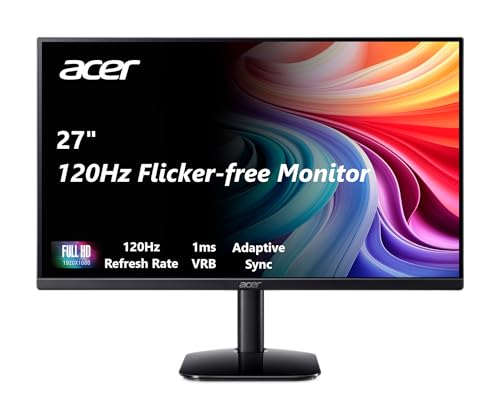
Best Budget: Acer KB272 27 FHD IPS 120Hz – accurate color and high refresh for the price
Best Premium: ViewSonic 32 FHD IPS Frameless Monitor – larger, crisp panel with built-in speakers for multitasking
Best for Long Hours: BenQ GW2790T 27 FHD IPS Eye-Care Monitor – low-blue-light and adjustable stand for sustained comfort


Buying Guide
Panel type and anti‑glare finish
Anti‑glare performance starts with the panel and the surface treatment when comparing the best computer monitors. Matte or semi‑matte coatings scatter reflections from windows and lights; pairing that finish with one of the best IPS computer monitors usually gives the best combination of wide viewing angles and consistent color. If accurate color and a reliable anti‑glare surface are priorities-for photo editing or content work-look for monitors with factory calibration and a neutral matte coating.
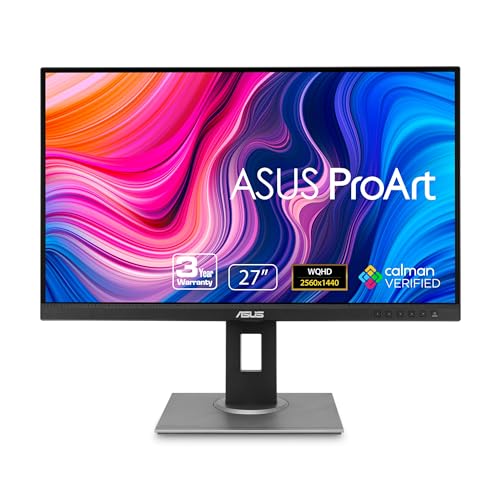
- Example: the ASUS ProArt 24" Monitor (PA248QV) combines a Calman‑verified, anti‑glare panel with a 16:10 WUXGA resolution, which helps reduce specular reflections while preserving color fidelity.
Ergonomics and adjustability
How a monitor adjusts has a direct impact on glare and comfort. Height, tilt and pivot let you position the screen to minimize reflections and keep your eyes level with the top third of the panel-reducing neck strain. VESA compatibility matters if you plan to use an arm or multi‑monitor mount. Also consider stands that lock securely and have smooth adjustments rather than loose, wobbling mechanisms.
- Look for: height range, tilt range, pivot for portrait mode, and VESA mount support.
- Example: the BenQ GW2790T highlights height and tilt adjustability, which is useful for dialing in a glare‑free position across different work setups.
Eye comfort features beyond anti‑glare
When choosing the best computer monitors for eye strain, anti‑glare coating reduces reflections, but low‑blue‑light modes, flicker‑free backlights and curved panels also affect visual comfort. Flicker‑free technology helps prevent intermittent brightness changes that some users find fatiguing. Curved screens can reduce peripheral reflections in certain lighting conditions, and manufacturer eye‑comfort modes let you tune color temperature and blue light without changing perceived clarity.
- Consider: flicker‑free certification, low blue light modes, and whether curvature helps your desk layout.
- Example: the Samsung 27" Essential S3 advertises advanced eye comfort and a curved 1800R shape-features that may reduce glare and strain in bright rooms.
Resolution, size and intended use
Your ideal anti‑glare monitor depends on what you do. Higher resolutions (WQHD/4K) give more workspace and crisper text but demand more GPU power and often a larger screen to reap the benefits. For coding, office work or general browsing, a 24-27″ FHD or 16:10 WUXGA can be clearer and easier to position to avoid reflections. For photo and video work, prioritize higher resolution plus a matte finish to preserve color accuracy while cutting glare.
- Tip: match pixel density to viewing distance-smaller screens need higher PPI for fine‑detail work; larger screens benefit from higher resolution only if you sit close enough to notice it.
- Also check: aspect ratio (16:9 vs 16:10) and whether the screen size fits your desk and lighting environment.
Build quality, connectivity and long‑term value
For the best quality computer monitors, durability and a sensible warranty extend a monitor’s useful life. Look for solid stand construction, minimal backlight bleed, and a warranty that covers advance replacement or panel defects. Connectivity choices-DisplayPort, HDMI, USB‑C, and multiple inputs-determine how future‑proof the display is and whether you can switch sources without repositioning the monitor (which can reintroduce glare).
- Prioritize: a robust warranty, a stable stand or VESA mount option, and the right mix of ports for your devices.
- Value checklist: compare real‑world comfort (glare control, eye‑care modes), adjustability, and warranty instead of focusing only on headline specs.
FAQ
Which anti-glare monitor is best for long hours of work?
For long stretches at the desk look for a matte (anti‑glare) coating, flicker‑free backlight, low blue‑light modes and an adjustable stand to reduce neck strain. Curved panels and gentle contrast can also make text easier to read across the screen. If you want a balanced pick that emphasizes eye comfort and general use, the Samsung 27" Essential S3 is a solid choice with Advanced Eye Comfort and a 27″ curved panel. Pair any monitor with good task lighting and regular breaks to minimize fatigue.
Mesh vs padded chairs – which is better when using an anti-glare monitor all day?
Mesh chairs usually win for breathability and cooling during long sessions, while padded chairs offer more immediate cushioning and a softer feel. If you run hot or sit for many hours, mesh backs help prevent sweating and keep you more comfortable; if you need extra lumbar or seat padding, go padded or find a hybrid. Either way prioritize adjustable lumbar support, seat depth and recline so you can maintain an ergonomic posture while working at your anti‑glare monitor. Comfort is personal, so try both types before committing if possible.
Are expensive anti-glare monitors worth the price?
That depends on your needs: higher prices usually buy better color accuracy, higher resolution, more reliable eye‑care features and sturdier stands. If you do photo/video work or need precise color, an accurate, professionally calibrated display can save time and improve results. For creators, the ASUS ProArt 24" PA248QV is a good example of paying extra for 100% sRGB, low ΔE and calibration verification. For general office or casual use a midrange anti‑glare monitor usually offers the best value.
What anti-glare monitor features matter most for comfort and eye strain?
Prioritize a true anti‑glare matte coating (not just glossy with coating), flicker‑free backlight, and low‑blue light or warm color presets to reduce strain. An adjustable stand (height, tilt, swivel) and VESA mount compatibility let you set an ergonomic viewing position to protect your neck and shoulders. Good brightness range and an IPS or VA panel for consistent viewing angles also help reduce squinting and repositioning. Finally, a decent resolution for your screen size keeps text sharp and reduces visual fatigue.
How durable are anti-glare monitors and how should I maintain them?
Most quality monitors last several years-commonly 3-7 years depending on usage and care-before you notice brightness loss or backlight issues. To extend life, keep vents clear, use a surge protector, and avoid leaving maximum brightness on constantly. Clean the screen gently with a microfiber cloth and a little distilled water or manufacturer‑approved cleaner; never spray liquid directly on the panel or use ammonia/abrasive cleaners. Regular firmware updates (if available) and careful handling during moves also help preserve performance.
Final Verdict
After comparing the top anti‑glare monitors and the best monitors overall, the winners separated themselves by delivering a consistently effective anti‑glare finish, reliable IPS or curved panels, and ergonomic adjustability-while weaker options cut corners on comfort or connectivity. Prioritize panel type, true anti‑glare coating, adjustable stands, eye‑care features (low blue light/flicker‑free), and the ports you need. The best performers combined durable coatings, comfortable ergonomics, and practical connectivity for long sessions without eye strain.
🏆 Best Overall: Samsung 27″ Essential S3 Curved FHD 100Hz Monitor
💰 Best Budget: acer KB272 27″ FHD IPS 120Hz Monitor
⭐ Best Premium: ViewSonic 32″ FHD IPS 75Hz Monitor with Speakers