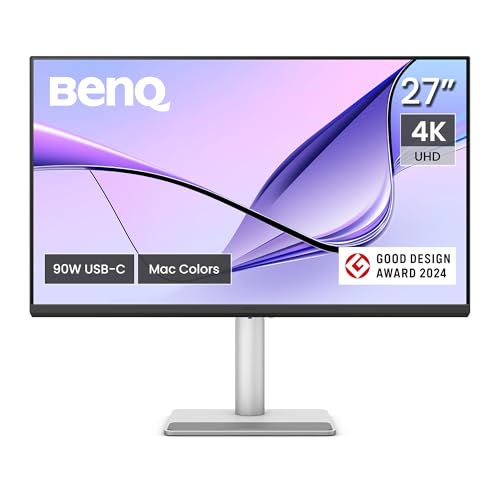
Creative professionals seeking desktop accuracy will appreciate the BenQ MA270U 27” 4K 3840×2160 Monitor for MacBook® for its seamless single-cable setup and broad P3 color coverage. It integrates cleanly with external hardware while charging modern laptops through powerful 90W power delivery. You can also explore our guide to best quality computer monitors for broader workspace upgrades.
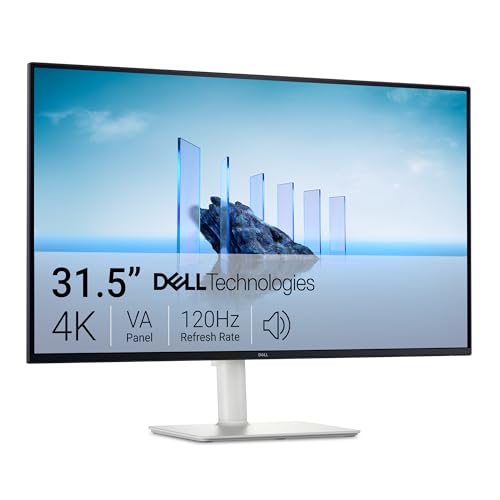
For users who need expansive workspace on a budget, the Dell 32 Plus 4K Monitor – S3225QS delivers rich contrast and smooth 120Hz motion. We analyzed 5 options in October 2026 to identify displays that balance panel accuracy with streamlined connectivity.


Best USB-C Monitors with Wide Color Gamut Buying Guide
Color Gamut Coverage and Calibration
Wide color gamut displays extend beyond standard sRGB profiles to cover larger spectrums like DCI-P3 and Adobe RGB. Creative workflows in video grading and photo retouching require at least 95% DCI-P3 coverage to avoid banding and shade clipping.
Factory calibration with a Delta E under two ensures that the colors visible on your display match real-world output. Investing in pre-calibrated panels saves hours of manual tuning with external hardware colorimeters.
USB-C Power Delivery and Video Bandwidth
A proper USB-C monitor carries DisplayPort video signals and charges your connected laptop over a single cord. Look for power delivery ratings of 65W to 90W so your computer stays charged during heavy render cycles.
Insufficient wattage forces you to attach a secondary power brick, which defeats the clean workspace goal. Check out our recommendations for best white monitors that make smart buying easy to match clean desk aesthetics.
Resolution and Panel Dimensions
Screen resolution directly dictates text clarity and user workspace area across creative applications. A 27-inch 4K panel yields high pixel density, while ultrawide panels provide uninterrupted horizontal space for timeline editing.
Ultrawide formats let editors view long audio tracks and video clips without horizontal scrolling. Readers interested in expansive workspace options can review our guide to best large screen computer monitors for work comfort.
Panel Technology and Contrast Levels
IPS panels provide wide viewing angles and reliable color consistency across the entire screen surface. In contrast, VA panels deliver deeper blacks and higher static contrast ratios, which benefit dark room editing and entertainment.
Choose IPS if your daily work involves color grading or collaborative design reviews with colleagues. Pick VA displays when shadow detail in films and contrast punch take priority over extreme off-angle accuracy.
Refresh Rates and Motion Clarity
Modern creative monitors increasingly offer refresh rates between 120Hz and 180Hz for smoother interface navigation. Faster refresh rates eliminate cursor stutter and reduce motion blur when scrubbing fast video timelines or playing games.
Displays with Adaptive-Sync or G-SYNC compatibility prevent screen tearing during variable framerate tasks. If you balance creative work with gaming, high refresh rates provide a noticeably more responsive desktop experience.
Ergonomics and Physical Connectivity
Flexible stands with height, tilt, swivel, and pivot adjustments protect your neck during extended editing sessions. Proper positioning keeps the screen at eye level and reduces physical fatigue throughout the workday.
Ensure the rear hub includes extra USB-A or downstream USB-C ports to connect external storage and input devices. Built-in USB hubs turn your monitor into a complete docking station for your mobile workstation.
How We Evaluated
We analyzed manufacturer technical specifications, panel certifications, and interface capabilities across 5 current models. Our evaluation emphasized color space coverage, Delta E accuracy reports, USB-C power delivery wattage, and ergonomic stand adjustment ranges.
We compared real-world user feedback and verified port bandwidth configurations to identify reliable displays. This data-driven process highlights monitors that provide long-term reliability and practical connectivity for everyday productivity.
Common Mistakes to Avoid
Overlooking USB-C wattage ratings often leads to laptop battery drain during intensive rendering tasks. Always confirm your laptop power requirements match or sit below the monitor output capability.
Confusing sRGB with DCI-P3 color gamut coverage causes disappointment for professional video editors. A monitor advertising 100% sRGB may only cover 75% of DCI-P3, limiting HDR workflow capabilities.
Ignoring physical stand adjustment can lead to poor desk posture and chronic eye strain. Buyers who choose fixed stands often spend extra money on aftermarket arms to achieve comfortable viewing angles.
Buying Checklist
- Verify that USB-C power delivery provides at least 65W to charge your laptop under load.
- Confirm the panel offers at least 95% DCI-P3 or 99% sRGB coverage for your color tasks.
- Check whether the monitor includes a factory calibration report with Delta E under two.
- Select an IPS panel for wide viewing angles or a VA panel for higher static contrast.
- Ensure the screen resolution provides sufficient pixel density for crisp text and user interfaces.
- Review available ports including HDMI, DisplayPort, and downstream USB connections.
- Inspect stand adjustability for height, tilt, and swivel to ensure comfortable all-day alignment.
Final Thoughts
Selecting the right display hinges on balancing panel color accuracy with streamlined desktop connectivity. For creative Mac users seeking precise color rendering and high charging capacity, the BenQ MA270U 27” 4K 3840×2160 Monitor for MacBook® represents our top recommendation. You can also review our analysis of best quality monitors for comfort and value you need for more display ideas.
Budget-conscious creators will appreciate the Dell 32 Plus 4K Monitor – S3225QS for its expansive 31.5-inch 4K panel and fluid 120Hz refresh rate. Ultrawide enthusiasts requiring extensive horizontal timeline workspace should look toward the INNOCN 40C1R Ultrawide Monitor 40″ WQHD 3440 x.
Mobile professionals needing multi-display productivity on trips will find excellent versatility in the One Cable Laptop Screen Extender. Gamers who also edit media will benefit from the high-speed motion handling of the INNOCN 34″ Ultrawide Monitor WQHD 3440 x 1440P. For those exploring different panel technologies, see our breakdown of best non OLED 32 inch monitors.
Frequently Asked Questions
What makes a wide color gamut important for photo and video editing?
A wide color gamut allows a monitor to display more saturated reds, greens, and blues than basic sRGB displays. This wider spectrum ensures that color grading choices and print preparations match commercial production standards accurately.
Can a USB-C monitor charge my laptop while sending video signals?
Yes, single-cable USB-C displays transfer video data and supply power simultaneously through USB Power Delivery. Ensure your monitor outputs sufficient wattage to match your laptop charger specifications.
What is the top-rated option among Best USB-C Monitors with Wide Color Gamut in 2026?
The BenQ MA270U 27” 4K 3840×2160 Monitor for MacBook® stands out in 2026 for its specialized Mac color profile tuning and robust 90W charging hub. It delivers dependable DCI-P3 coverage alongside keyboard brightness synchronization.
Is an IPS panel better than a VA panel for color work?
IPS panels provide superior color consistency when viewed from different angles, making them the standard choice for color grading. VA panels offer deeper black levels, making them great for general media consumption and dark room viewing.
What does a Delta E measurement signify on a monitor?
Delta E measures the difference between an input color and how the monitor renders that color. A Delta E value below two is generally imperceptible to the human eye and indicates professional color accuracy.
Do ultrawide monitors support Picture-by-Picture modes?
Most modern ultrawide screens feature Picture-by-Picture and Picture-in-Picture functionality for multi-device setups. You can review our thoughts on best OLED monitor for work and gaming to learn more about hybrid display setups.
Does higher refresh rate benefit creative professionals?
Higher refresh rates make cursor movement smoother and reduce eye fatigue when scrolling through dense code or video timelines. They also provide a responsive environment when transitioning from creative tasks to gaming.
What cable do I need to connect a USB-C monitor?
You should use a full-featured USB-C cable that supports DisplayPort Alternate Mode and high power delivery. Standard phone charging cables often only transmit power and slow USB 2.0 data without video support.