

Expanding your portable storage allows you to safeguard expansive video projects, extensive photo catalogs, and system images without cluttering internal computer drives. For creators and travelers who require dependable drop protection, the Transcend 4TB StoreJet 25H3 Rugged Portable HDD stands out as our top overall recommendation. It pairs a triple-layer shock protection system with one-touch backup functionality for everyday reliability.
If your workflow prioritizes straightforward plug-and-play functionality on a modest budget, the WD 4TB Elements Portable External Hard Drive delivers exceptional value for everyday desktop and laptop backups. You can easily connect it alongside workstations paired with desktop monitors for comfort and clarity to keep your complete digital library organized.





Best 4TB Portable External Hard Drives: Reliable Storage Buying Guide
Drive Technology and Transfer Speeds
Choosing between traditional mechanical hard disk drives (HDDs) and solid-state drives (SSDs) significantly dictates your daily transfer speeds. Mechanical drives like the WD 4TB My Passport, Portable External Hard Drive rely on spinning platters that typically reach transfer rates around 120MB/s to 140MB/s. These speeds are perfectly suited for routine file archives, Time Machine backups, and cold data storage.
In contrast, high-end solid-state drives such as the Sandisk 4TB Extreme Portable SSD utilize flash memory to reach data throughput up to 2000MB/s. While solid-state technology comes at a premium cost per gigabyte, it eliminates mechanical moving parts and drastically reduces transfer times when transferring massive 4K video timelines or photo libraries.
Interface Connectivity and Cable Standards
Modern portable storage devices connect through either USB-A or USB-C interfaces using USB 3.0, USB 3.1, or USB 3.2 Gen 1 protocols. Drives featuring native USB-C connections, such as the LaCie Rugged USB-C, 4TB, Portable External Hard, plug directly into newer laptops without requiring separate dongles or adapters.
If you frequently switch between older desktop computers and newer ultrabooks, look for models that supply both USB-C and USB-A cables out of the box. Flexible connectivity prevents speed bottlenecks and ensures effortless compatibility when editing alongside 4K, 6K and 8K monitors on creative editing desks.
Physical Durability and Shock Resistance
Mechanical external hard drives are inherently vulnerable to physical shocks, vibrations, and accidental drops because their read heads hover microscopically close to spinning magnetic platters. Rugged enclosures with rubberized outer bumpers or internal silicone suspension frames absorb unexpected impacts during daily commutes.
If you travel often or work outdoors on location, prioritizing rugged certification gives you essential peace of mind. The Transcend 4TB StoreJet 25H3 Rugged Portable HDD incorporates military-grade drop resistance, protecting sensitive sectors from sudden jolts that could otherwise corrupt an entire partition.
File System Formatting and Operating System Compatibility
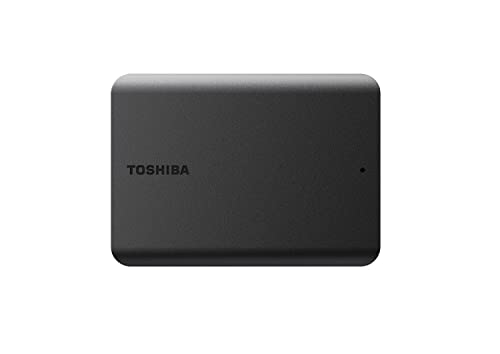
External hard drives arrive pre-formatted in specific file systems such as NTFS for Windows or APFS and HFS+ for macOS. While Windows drives can easily be reformatted for Mac use, choosing an exFAT pre-formatted drive like the Toshiba Canvio Flex 4TB Portable External Hard allows immediate read and write access across both platforms without reformatting.
If your primary goal is automated macOS Time Machine backups, reformatting the drive into APFS ensures optimal snapshot efficiency and native system compatibility. Exploring our How To tutorials can assist you with step-by-step partition setup for mixed operating systems.
Hardware Encryption and Data Security Software
Storing confidential business documents or personal archives on a portable drive introduces theft or loss risks whenever you leave your office. Hardware-based 256-bit AES encryption secures your stored information at the controller level without placing processing burdens on your host computer.
Dedicated backup utilities, such as the suite included with the WD 4TB My Passport, Portable External Hard Drive, offer automated scheduling and ransomware protection defenses. These software suites monitor file modifications and automate incremental file copies in the background while you focus on daily work.
Portability, Weight, and Power Management
True portable 2.5-inch external drives draw power directly from the host USB port, completely eliminating bulky external power bricks. This bus-powered design makes units like the Toshiba Canvio Basics 4TB Portable External Hard lightweight enough to slip effortlessly into a backpack sleeve or briefcase pocket.
Ensure your host device delivers sufficient USB bus power, particularly when connecting through passive hubs or unpowered keyboard ports. Plugging directly into a computer chassis or a powered docking station guarantees stable voltage delivery during prolonged 4TB data transfers.
How We Evaluated
We analyzed 10 high-capacity portable external storage models across LaCie, Western Digital, Transcend and more to determine their practical value for long-term file preservation. Our evaluation synthesized verified manufacturer technical data, bus-power efficiency, interface bandwidths, and enclosure construction durability.
We examined operating system interoperability, cross-platform file system support, and bundled software utilities across a wide range of use cases. This objective assessment highlights models that balance sustained read and write stability with physical reliability and cost effectiveness.
Common Mistakes to Avoid
One frequent error is disconnecting a portable drive without safely ejecting it through your operating system. Abruptly unplugging a drive while write-caching is active can damage partition tables and cause irreversible data corruption on mechanical disks.
Another common mistake is choosing a standard mechanical HDD for real-time multicam 4K video editing. Mechanical hard drives excel at long-term data archiving, but sustained high-bandwidth editing workflows demand the higher transfer rates of solid-state drives.
Buyers also overlook cable compatibility when pairing new drives with legacy equipment or modern USB-C laptops. Relying on cheap third-party adapters can throttle transfer speeds down to legacy USB 2.0 rates, severely lengthening backup times.
Lastly, users often treat an external drive as a sole repository rather than maintaining a secondary duplicate backup. Storing files in only one location violates the fundamental 3-2-1 backup rule and leaves critical data exposed to physical loss or accidental hardware failure.
Buying Checklist
- Confirm whether your workflow requires high-speed SSD throughput or high-capacity mechanical HDD archiving.
- Check if the drive includes native USB-C or standard USB-A cables that match your computer ports.
- Verify that the pre-set file system format (NTFS, exFAT, or APFS) matches your primary operating systems.
- Inspect the physical enclosure for rubberized bumpers or shock dampening if you travel frequently.
- Check for built-in 256-bit AES hardware encryption if you store sensitive or client-confidential data.
- Review warranty coverage and whether bundled data recovery rescue services are included with the drive.
- Ensure your host computer or docking hub provides adequate bus power without requiring external AC adapters.
Final Thoughts
Selecting the right storage solution from the 10 options reviewed in October 2026 comes down to matching your performance needs with your operating environment. For most users seeking reliable shock protection and effortless automated archiving, the Transcend 4TB StoreJet 25H3 Rugged Portable HDD represents our best overall recommendation.
Budget-conscious buyers who need massive, straightforward desktop storage will find remarkable value in the WD 4TB Elements Portable External Hard Drive. Meanwhile, creative professionals requiring rapid file transfers in harsh field conditions should invest in the Sandisk 4TB Extreme Portable SSD for its unmatched speed and weather sealing.
Pair your chosen storage solution with high-grade workstation hardware, such as external monitors for comfort and value, to build an efficient creative workspace. Maintaining organized backups today ensures that your essential files, memories, and projects remain secure for years to come.
FAQs
What makes Best 4TB Portable External Hard Drives: Reliable Storage essential in 2026?
A dedicated 4TB portable drive provides an offline, physical backup solution that protects your critical data from ransomware, network outages, and cloud subscription fees. It gives you immediate access to vast media libraries wherever your work takes you.
Can I use a 4TB portable external hard drive with both Mac and Windows?
Yes, you can use these drives across both platforms by formatting them with the exFAT file system. Drives like the Toshiba Canvio Flex 4TB Portable External Hard come pre-formatted in exFAT for seamless cross-platform functionality out of the box.
What is the difference between a 4TB portable HDD and a 4TB portable SSD?
A portable HDD uses mechanical spinning platters, offering high storage volume at a very economical cost per gigabyte with speeds around 130MB/s. A portable SSD uses flash memory to deliver transfer speeds up to 2000MB/s, superior drop resistance, and a more compact footprint at a higher price.
Do these 4TB portable hard drives require a separate power cord?
No, the portable drives featured in our guide are bus-powered, meaning they draw all required electrical power directly through the connected USB cable from your laptop or PC. Check out our guide to quality computer monitors to see how modern USB-C monitor hubs can power your accessories.
How much data can a 4TB external hard drive actually store?
A 4TB drive holds roughly 1,000,000 photos at 12MP, over 100 hours of 4K video footage, or dozens of complete operating system backup images. Actual usable space after system formatting is approximately 3.63TB due to binary calculation differences.
Is hardware encryption necessary for an external hard drive?
Hardware encryption is crucial if you travel with personal financial records, confidential business documents, or proprietary creative work. It protects your data with robust password authentication without slowing down transfer performance.
Can I connect a 4TB portable external hard drive to gaming consoles?
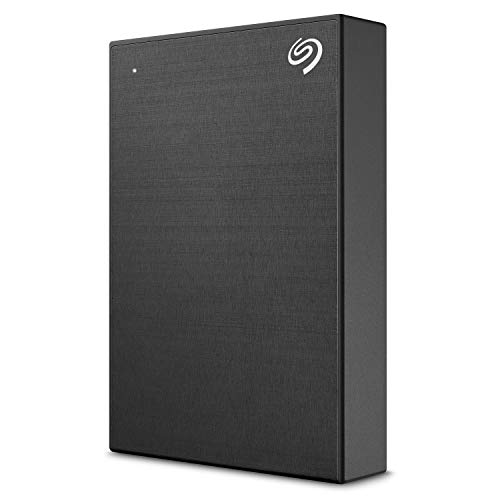
Yes, drives like the Seagate Portable 4TB External Hard Drive HDD and Seagate 4 TB Expansion Amazon Special Edition USB connect via USB to expand game storage on PlayStation and Xbox consoles for direct game archiving.
How long do portable external hard drives typically last?
With proper care, safe disconnection habits, and moderate use, a quality mechanical external hard drive typically lasts between three and five years. Implementing regular duplicate backups ensures your data remains protected even as hardware ages over time.





