
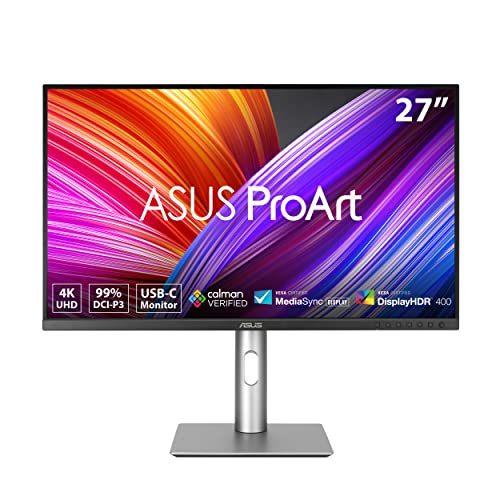
Finding the Best Monitors for Graphics Professionals in October 2026 means looking for factory calibration, wide color gamut coverage, and rock-solid panel consistency. For most creative studios, the ASUS ProArt Display 27” 4K HDR stands out as the ultimate choice due to its factory-calibrated Delta E lower than 2 and 99% DCI-P3 color space.
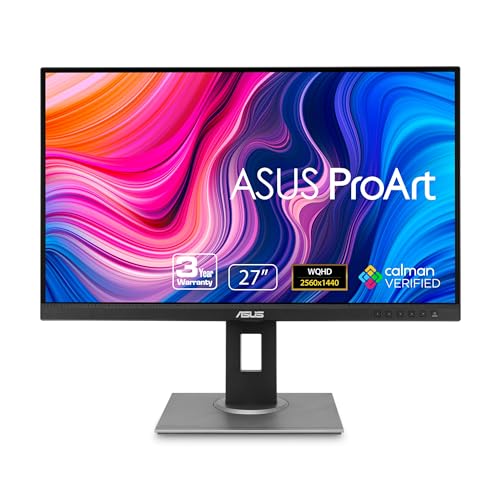
If you want high pixel density on a budget, the ASUS ProArt Display PA278QV 27” WQHD (2560 x 1440) delivers exceptional sRGB precision for everyday design work. We analyzed 7 models across leading brands like LG to highlight options with flexible connectivity and IPS and OLED panels for any budget.



Best Monitors for Graphics Professionals Buying Guide
Color Gamut and Delta E Accuracy
Color accuracy forms the foundation of any serious graphic design setup. Look for displays covering at least 99% sRGB for web design, or 95% DCI-P3 and Adobe RGB for print and commercial video project workflows.
A low Delta E value indicates that the display renders colors true to life without shifting hues. Selecting a factory-calibrated panel with Delta E under 2 guarantees that your export matches what clients see.
Panel Technology and Viewing Angles
Panel architecture dictates how color and contrast look when viewed off-center. In-Plane Switching (IPS) panels remain the industry standard because they maintain identical color fidelity across wide 178-degree angles.
Modern OLED options offer perfect dark levels and lightning response times alongside broad color gamuts. Readers comparing high resolution displays should weigh whether IPS uniform brightness or OLED deep contrast suits their workflow.
Resolution and Pixel Density
Higher pixel density delivers sharp vector lines and clear text during intensive illustration projects. A 27-inch screen with 4K UHD resolution yields roughly 163 pixels per inch, eliminating visible pixels at typical desktop viewing distances.
Standard 1440p resolution provides a comfortable work environment without requiring display scaling. However, working on intricate photographic retouches benefits significantly from native 4K or ultrawide canvas space.
Connectivity and Power Delivery
Modern creative setups rely heavily on single-cable connectivity to streamline laptop pairing. Displays featuring USB-C with Power Delivery send video signals while charging your computer through one cable.
Integrated USB hubs and daisy-chain DisplayPort outputs reduce desktop cable clutter. Selecting a monitor with comprehensive ports allows smooth switching between workstations without swapping cables constantly.
Ergonomics and Visual Comfort
Long hours of editing demand flexible stand adjustments and eye care technologies. Height, tilt, swivel, and pivot adjustments ensure proper posture, reducing neck strain over extended design sessions.
Flicker-free backlights and hardware low blue light filters prevent eye fatigue without distorting color calibration. For additional setup ideas, check our breakdown on ergonomic external monitors to optimize workspace comfort.
How We Evaluated
We evaluated these monitors by analyzing objective technical specifications, factory calibration standards, and verified color gamut metrics. Our comparisons focus on real-world panel performance, color accuracy guarantees, port versatility, and ergonomic design options.
We weighted color precision, native resolution, connectivity options, and long-term comfort to separate professional tools from general office screens. This data-driven approach ensures transparent recommendations tailored specifically to digital artists, photographers, and video editors.
Common Mistakes to Avoid
Prioritizing high refresh rates over color accuracy is a common error among creative buyers. Gamers benefit from fast frame rates, but design professionals need true color reproduction and uniform backlighting first.
Ignoring panel type can lead to frustrating color shifts when shifting posture. Choosing cheap TN or VA panels often introduces shifting contrast that skews accurate photo editing decisions.
Assuming high brightness guarantees good color accuracy is another frequent oversight. Dynamic contrast modes often over-saturate images, distorting colors that look completely different when printed or published.
Forgetting to calibrate external displays upon setup can compromise even factory-calibrated monitors over time. Environmental lighting changes color perception, so periodic hardware calibration remains essential for professional output.
Buying Checklist
- Confirm factory calibration specifies a Delta E rating under 2.
- Verify color gamut covers 99% sRGB or 95% DCI-P3/Adobe RGB for your workflow.
- Check that the panel uses IPS or OLED technology for 178-degree viewing angles.
- Ensure USB-C Power Delivery wattage matches your laptop charging requirements.
- Validate screen resolution provides adequate pixel density for your screen size.
- Confirm the stand supports full height, tilt, swivel, and vertical pivot adjustments.
- Verify hardware eye care features are present to minimize glare and blue light.
Final Thoughts
Investing in the Best Monitors for Graphics Professionals comes down to your primary creative medium and studio workspace. For top performance across photo editing and graphic design, the ASUS ProArt Display 27” 4K HDR delivers exceptional color precision alongside convenient 96W power delivery.
Budget-conscious creators will find outstanding sRGB reproduction in the ASUS ProArt Display PA278QV 27” WQHD (2560 x 1440), making it ideal for web graphics and general editing. Alternatively, those who need extra desktop real estate should consider the LG 32 Inch Ultrafine IPS 4K UHD Monitor for expansive 4K viewing.
Selecting the right display ensures your creative vision translates accurately to web and print outputs. You can explore more display options in our overview of high resolution monitors to match your exact desktop hardware.
Frequently Asked Questions
What color gamut is best for graphic design?
A monitor covering 100% sRGB is sufficient for digital graphics and web design projects. Designers creating content for print or high-end video production should target displays with 95% or higher Adobe RGB or DCI-P3 coverage.
Why is Delta E important for Best Monitors for Graphics Professionals in 2026?
Delta E measures the mathematical difference between a target color and how the monitor displays it. A Delta E rating under 2 indicates that color variations are undetectable to the human eye, ensuring total color confidence.
Is 4K resolution necessary for professional graphic design?
While 1440p resolution is fine for general design, 4K resolution provides much higher pixel density on 27-inch and larger screens. This added clarity makes vector lines crisp and enables accurate photo retouching at high zoom levels.
Are curved monitors suitable for graphics professionals?
Curved monitors work well for wide timeline video editing, but flat panels are usually preferred for straight-line illustration. Curved screens can sometimes warp straight vector lines visually, leading to slight design inaccuracies.
What USB-C power delivery output do design laptops need?
Most creative laptops require between 65W and 96W of USB-C power delivery to charge under heavy workloads. Choosing a monitor with 90W or higher power delivery lets you run intensive rendering tasks without draining laptop batteries. You can learn more about display connectivity in our guide to HDMI and USB displays.
How often should a professional design monitor be calibrated?
Even factory-calibrated displays shift in color performance as backlight components age. Professional graphic designers should calibrate their monitors using a hardware colorimeter every four to six weeks for reliable results.
Is an OLED panel suitable for graphic design work?
OLED displays offer unmatched dynamic range and true black levels, making them phenomenal for high dynamic range video editing. However, static UI elements in graphic software require careful brightness management to avoid burn-in over long sessions.





