Choosing from the Best Smart Home Hubs for Home Offices in September 2026 comes down to keeping your workspace routines running smoothly without network lag. The Aqara Smart Home Hub M3 for Advanced Automation takes our top spot because it combines local edge execution, Thread border routing, and universal Matter support into a compact desktop footprint. Paired with high-performing displays like those in our guide to Best External Computer Monitors for Comfort at Work, it creates an efficient environment.
If you want maximum local privacy and open-source control, the Home Assistant Green | Smart Home hub is our preferred alternative for power users. For smaller workspace setups or budget-focused desks, the SwitchBot Hub 2 (2nd Gen) delivers essential environmental sensing alongside IR remote management.







Best Smart Home Hubs for Home Offices Buying Guide
Local Execution and Network Independence
In a busy home office, smart lighting and climate routines should never fail during an internet outage. Controllers that support local execution run automations directly on the hardware rather than waiting for cloud server confirmation.
Selecting a controller with offline processing keeps your desk lights, smart plugs, and thermal controls active even if your primary broadband connection drops. This isolation protects work tasks from unnecessary delays and maintains focus.
Protocol Support and Interoperability
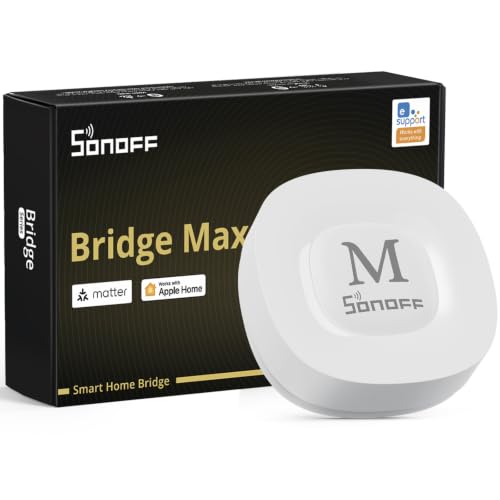
Home office devices rely on various wireless protocols like Zigbee, Thread, Z-Wave, and Wi-Fi. A versatile hub acts as a single gateway, translating commands across disparate standards without adding extra bridge units to your desk space.
Expanding your workstation setup often requires connecting specialized devices like those highlighted in our review of Best Hi Res Monitors for Productivity and Comfort. Choosing a hub with Matter and Thread border router support ensures future-proof connectivity across all major ecosystems.
Desk Footprint and Power Delivery
Physical space on an office desk or equipment shelf is always at a premium. Small hub dimensions combined with flexible mounting options allow you to keep cable management tidy behind monitors.
Power over Ethernet support is a valuable feature for clean installations. Running a single network cable for power and data reduces desktop clutter and ensures a stable wired backbone for smart commands.
Environmental Sensing and IR Control
Maintaining comfort throughout long work shifts requires accurate monitoring of office temperature, humidity, and lighting levels. Hubs with onboard sensors can automatically trigger desk fans or smart shades when room conditions shift.
Integrated infrared blasters allow smart hubs to command legacy appliances like window air conditioners or classic stereo receivers. This capability brings older office equipment into your modern automation routines without expensive hardware replacements.
Data Security and Privacy
Home offices process sensitive work files and client communications, making digital privacy a core consideration. Controllers that store device credentials and event logs locally keep your daily schedule hidden from third-party advertising algorithms.
Hardware designed without built-in microphones or open cloud pipelines offers an additional layer of security for confidentiality. Reviewing data management policies before installing a central bridge helps protect your home network perimeter.
How We Evaluated
We analyzed the 10 Best Smart Home Hubs for Home Offices by comparing hardware specifications, protocol compatibility, local automation speeds, and user privacy features. Our evaluation focused on how effectively each hub manages daily workspace demands, including climate control, lighting automation, and peripheral management.
We prioritized devices offering broad interoperability, clean physical footprints, and reliable offline performance. Products were scored based on standard architectural metrics, vendor support, and ecosystem flexibility to provide objective recommendations for any workspace configuration.
Common Mistakes to Avoid
Relying entirely on cloud-based smart hubs for critical home office automations often leads to frustration during broadband outages. When internet connectivity drops, cloud-dependent lights and switches fail to respond, disrupting your work focus.
Overlooking local wireless interference is another frequent error when placing hubs near computer displays or Wi-Fi routers. Placing your smart controller too close to unshielded monitors or high-power transmitters can degrade Zigbee and Thread signals.
Failing to check protocol limitations before purchasing extra sensors creates unnecessary hardware clutter. Adding incompatible proprietary bridges quickly fills up USB ports and power outlets around your workstation.
Buying Checklist
- Verify that the hub supports local automation execution for offline reliability.
- Check whether Thread and Matter compatibility match your intended office sensors.
- Confirm physical power options such as Power over Ethernet or standard USB-C inputs.
- Ensure radio frequency ranges adequately cover your desk location without dead zones.
- Select a model that integrates directly with your existing voice or desktop OS tools.
- Check if local encrypted storage is available for preserving routine backup files.
- Confirm thermal and silent operation guidelines to prevent desk fan noise.
Final Thoughts
Selecting the right central controller streamlines your work environment, allowing lighting and climate adjustments to happen seamlessly. For complete edge execution and comprehensive cross-protocol connectivity, the Aqara Smart Home Hub M3 for Advanced Automation is our top choice for modern work desks. Pair your smart setup with ergonomic displays like those found in our Best External Monitors: Choose Comfort and Value guide for an optimized workspace.
Budget-conscious users will find excellent functionality in the compact SwitchBot Hub 2 (2nd Gen), which provides built-in environment monitoring alongside IR appliance control. If you prioritize full open-source control and complete network isolation, the Home Assistant Green | Smart Home hub delivers unmatched flexibility. Explore our How To category for more workspace setup tutorials and automation strategies.
Frequently Asked Questions
What are the Best Smart Home Hubs for Home Offices in 2026 for local control?
Models prioritizing local processing include the Home Assistant Green | Smart Home hub and the Hubitat Elevation C‑8 Pro Smart Home Hub. These devices execute automation rules directly on internal memory, keeping your office routines active during internet outages.
Why is Matter support important when choosing Best Smart Home Hubs for Home Offices?
Matter support allows sensors, plugs, and switches from different brands to communicate unifiedly across platforms like Apple Home, Google Home, and Alexa. This unified standard reduces app clutter and simplifies device management across your workspace.
Can a smart home hub lower my office energy consumption in 2026?
Yes, connecting temperature sensors and smart plugs to automated routines allows your hub to power down desk lighting, monitors, and heaters when you leave the room. You can also review monitor efficiency options in our guide to Best HD Computer Monitors: Compare Comfort and Value.
Do smart home hubs require a monthly subscription?
Most standalone controllers like the Aqara Smart Home Hub M3 for Advanced Automation operate fully without monthly fees. Certain cloud features or remote access setups may offer optional subscriptions, but local core automations remain free.
Where is the best location to place a smart hub in a home office?
Place your smart hub in a central, elevated position away from large metal objects, thick concrete walls, and wireless routers to minimize signal interference. Keeping it clear of direct computer monitor exhaust fans also ensures stable operating temperatures.
How does Power over Ethernet benefit a home office smart hub?
Power over Ethernet delivers electrical power and network data through a single Ethernet cable. This setup eliminates extra power bricks on your desk while providing a more reliable connection than wireless Wi-Fi.
Can I control legacy air conditioners using a modern smart hub?
Hubs equipped with infrared blasters can replicate traditional remote control signals to manage legacy air conditioners and heaters. Linking these IR commands to smart temperature sensors automates workspace climate control effortlessly.